


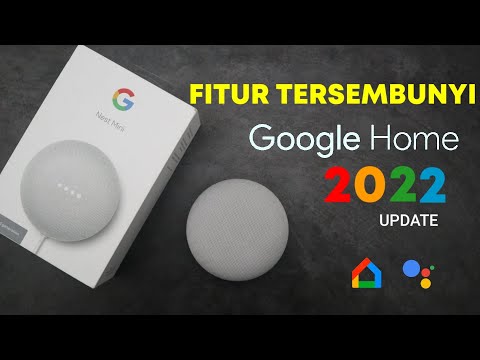
When you think about transforming your living space into a truly connected home, few devices deliver the kind of seamless, voice-controlled experience that a Google Home smart speaker can offer. Whether you are looking to stream music, control your lights, set timers, or get instant answers to your questions, Google’s lineup of smart speakers has something for nearly everyone. Over the years, the Google Nest and Google Home ecosystems have evolved significantly, introducing powerful hardware, improved microphones, and deeper integration with third-party smart home devices. In this guide, we will walk you through everything you need to know about Google Home smart speakers, from setup and features to expert tips that will help you unlock their full potential.
What Exactly Is a Google Home Smart Speaker?
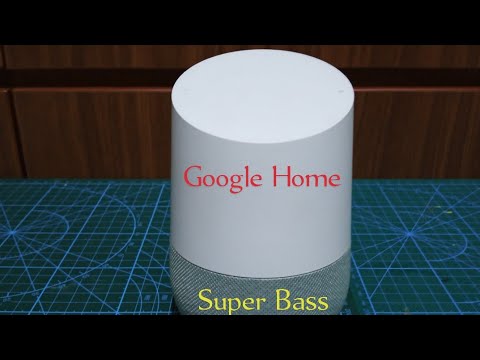
A Google Home smart speaker is a voice-activated device powered by Google Assistant, Google’s artificial intelligence-driven virtual assistant. These speakers come in various form factors, from the compact Google Nest Mini to the premium Google Nest Audio and the towering Google Nest Hub Max. Each device is designed to serve as a central hub for your smart home, a multimedia player, and an always-on information assistant. What sets Google Home speakers apart from competitors is their natural language understanding, seamless integration with Google services like Calendar, Maps, and YouTube Music, and a robust ecosystem of compatible smart home devices.
The core idea behind the Google Home smart speaker ecosystem is simplicity. You speak a wake word, usually “Hey Google” or “OK Google,” and the device listens, processes your request using cloud-based AI, and responds in real time. This hands-free interaction model has made these speakers incredibly popular among households, tech enthusiasts, and smart home adopters alike.
Key Features and Capabilities of Google Home Speakers
Voice Commands and Natural Language Understanding
One of the standout strengths of the Google Home smart speaker is its ability to understand complex, conversational queries. Unlike basic voice assistants that require rigid command syntax, Google Assistant can interpret multi-step requests and contextual follow-ups. You can ask something like “What is the weather in Tokyo?” and then follow up with “And in Paris?” without repeating the wake word. This natural conversational flow makes daily interactions feel effortless and intuitive.
Smart Home Integration
Google Home speakers serve as a command center for hundreds of compatible smart home devices. You can control smart lights from brands like Philips Hue and LIFX, thermostats from Nest and Ecobee, locks from August and Yale, and cameras from Arlo and Ring — all using your voice. The built-in support for the Matter protocol means compatibility with even more devices is expanding rapidly. You can also create custom routines that trigger multiple actions with a single voice command.
Audio and Media Streaming
Music lovers will appreciate that Google Home speakers support streaming from YouTube Music, Spotify, Pandora, and Deezer. The higher-end models like the Google Nest Audio feature stereo pairing capabilities and built-in Google Chromecast, allowing you to cast audio directly to your speakers from your phone or computer. For those who want a visual experience, the Google Nest Hub and Nest Hub Max combine a smart speaker with a touchscreen display, enabling video calls, recipe browsing, and smart home camera feeds.

Multi-Room Audio and Group Commands
You can group multiple Google Home smart speakers throughout your home and play synchronized music in every room. Simply create a speaker group in the Google Home app, and you can say, “Play jazz in the living room and kitchen,” and both speakers will respond simultaneously. This is a powerful feature for parties, cooking sessions, or simply filling your home with music throughout the day.
Setting Up Your Google Home Smart Speaker
Getting started with your Google Home speaker is straightforward, but following a few best practices ensures the best experience from day one. Here is a step-by-step walkthrough:
- Download the Google Home app on your Android or iOS device. This app serves as the central control panel for all your Google smart devices.
- Plug in your speaker and wait for the LED light to indicate it is ready for setup, usually a pulsing orange or white light.
- Open the Google Home app and tap the “Add” button, then select “Set up device” and follow the on-screen prompts.
- Connect your speaker to your Wi-Fi network by selecting your network and entering your password. Make sure you use a 2.4 GHz network if your router does not broadcast a separate band for the speaker.
- Assign the speaker to a room in your home for easier voice command organization. Naming rooms like “Kitchen,” “Bedroom,” or “Living Room” helps Google Assistant route commands correctly.
- Link your music and smart home accounts within the app settings so you can access Spotify, YouTube Music, and connected devices right away.
Pro Tip: Place your Google Home speaker in a central location, elevated slightly off the ground, away from walls and electronic interference. This placement improves microphone pickup and ensures the assistant hears you clearly from across the room.
Google Home vs. The Competition: A Quick Comparison
If you are in the market for a smart speaker and trying to decide between Google Home, Amazon Echo, and Apple HomePod, here is a side-by-side breakdown to help you make an informed decision.
| Feature | Google Home/Nest Speakers | Amazon Echo | Apple HomePod |
| Virtual Assistant | Google Assistant | Alexa | Siri |
| Smart Home Compatibility | Extensive, Matter support | Extensive, largest ecosystem | Limited, Apple HomeKit only |
| Music Streaming | YouTube Music, Spotify, etc. | Amazon Music, Spotify, etc. | Apple Music, Spotify |
| Display Options | Nest Hub, Nest Hub Max | Echo Show lineup | HomePod Mini (no screen), HomePod |
| Natural Language AI | Excellent, conversational | Very good, improving | Good, limited to Apple ecosystem |
| Price Range | Budget to Premium | Budget to Premium | Premium only |
Google Home speakers tend to excel in conversational AI and Google ecosystem integration, making them ideal for users who rely heavily on Google services for search, calendar management, and navigation. Amazon Echo devices lead in sheer smart home device compatibility and the breadth of Alexa skills. Apple HomePod shines for those deeply invested in the Apple ecosystem, offering premium audio quality and tight integration with Apple Music and HomeKit.
Expert Tips to Maximize Your Google Home Experience
Once your Google Home smart speaker is set up and running, there are several advanced techniques that can elevate your experience significantly:
- Use Voice Match to personalize responses for different household members. Google Assistant can recognize individual voices and pull up personalized calendar events, commute times, and preferences for each user.
- Create Routines in the Google Home app to automate repetitive tasks. For example, a “Good Morning” routine can turn on your lights, read the news headlines, and start your coffee maker simultaneously.
- Use the “Personal Results” feature to allow Google Assistant to access your emails, photos, and reminders when you speak, adding a deeply personalized layer to your smart speaker experience.
- Enable Broadcast to send voice messages from one Google Home speaker to all other speakers in your home, which is incredibly useful for families with multiple rooms.
- Adjust the microphone sensitivity and volume sliders in the Google Home app to fine-tune how responsive and loud your speaker is, tailoring it to your specific room acoustics.
- Explore Third-Party Actions by linking services like IFTTT (If This Then That) to unlock custom automation scenarios that go beyond standard Google Assistant commands.
Common Questions About Google Home Smart Speakers
FAQ 1: Can a Google Home smart speaker work without Wi-Fi?
Google Home speakers require a Wi-Fi connection for initial setup and most cloud-based features like streaming music, answering search queries, and controlling smart home devices remotely. However, some basic functions like setting timers, alarms, and using Bluetooth mode as a standalone speaker can work without an active internet connection.
FAQ 2: Is the Google Home smart speaker always listening?
The device listens for the wake phrase “Hey Google” or “OK Google” using on-device keyword detection. It does not record or transmit audio until it hears the wake word. You can review and delete your voice recordings anytime through your Google Account’s activity controls, and you can mute the microphone physically using the button on the speaker.
FAQ 3: How many Google Home speakers can you connect together?
You can connect up to 10 speakers in a single multi-room audio group using the Google Home app. Additionally, you can pair two compatible speakers for stereo sound, which is supported on models like the Nest Audio and Nest Mini when placed in the same room.
FAQ 4: Can kids safely use a Google Home smart speaker?
Yes, Google Home includes a “Kids” account mode that filters explicit content from music and provides parental controls. Parents can set content restrictions, manage voice recordings for children’s accounts, and enable additional safety settings directly within the Google Home app. The Family Link integration allows parents to manage screen time and content access across the household.
FAQ 5: What smart home devices work with Google Home speakers?
The Google Home ecosystem supports over 10,000 smart home devices from popular brands including Nest, Philips Hue, TP-Link, Ring, August, Ecobee, Arlo, and many more. With the addition of Matter protocol support, compatibility is expanding to include even more brands across different smart home platforms.
Final Thoughts
The Google Home smart speaker ecosystem represents one of the most versatile and intelligent approaches to voice-controlled home technology available today. From the affordable Nest Mini that delivers surprisingly rich audio for its size, to the feature-packed Nest Hub Max with its camera and touchscreen, there is a Google Home device to fit virtually every budget and use case. The combination of powerful AI, deep Google service integration, and growing smart home compatibility makes these speakers a compelling choice for anyone looking to build a smarter, more connected home. Whether you are a tech newcomer or a seasoned smart home enthusiast, adding a Google Home smart speaker to your household is one of the most impactful upgrades you can make.