


When you are building or upgrading a desktop, the marketplace you choose can make or break the entire experience. Amazon has become one of the most popular destinations for sourcing computer parts, and for good reason. The sheer variety of available components—from the latest AMD Ryzen processors to budget-friendly RAM kits—makes it a one-stop shop that appeals to everyone from first-time builders to seasoned enthusiasts. But navigating thousands of listings, deciphering seller reputations, and ensuring you get genuine hardware requires more than just a quick search. This guide dives deep into everything you need to know about buying computer parts on Amazon, covering the best categories, smart shopping strategies, expert tips, and answers to the most common questions shoppers ask before pulling the trigger.

Why Amazon Is the Go-To Platform for Computer Parts
The dominance of Amazon in the PC building ecosystem is not accidental. Several factors combine to make it the preferred marketplace for purchasing components compared to niche retail sites or smaller third-party stores. First, the platform offers unparalleled convenience. You can compare prices across multiple brands, read verified buyer reviews, and have parts delivered to your doorstep—often within a day or two if you are an Amazon Prime member. Second, Amazon’s return policy provides a safety net that smaller retailers rarely match. If a graphics card arrives DOA or a motherboard has a defective socket, you can typically initiate a return or replacement without a lengthy back-and-forth with the manufacturer.
Another major advantage is the breadth of sellers. Amazon hosts both official brand storefronts and authorized resellers, which means you have access to newer releases, open-box deals, and refurbished options that carry manufacturer warranties. For shoppers looking for the best price-to-performance ratio on computer parts, the competitive marketplace environment drives prices down, especially during major sale events like Prime Day, Black Friday, and Cyber Monday.
Best Categories of Computer Parts on Amazon
Not all components carry the same weight when it comes to value and availability on Amazon. Here are the standout categories where the platform truly excels.
Processors and CPUs

Intel and AMD have a fierce rivalry that plays out beautifully on Amazon, with both brands offering deep discounts during promotional periods. Whether you are looking for an Intel Core i9-14900K for heavy multitasking or an AMD Ryzen 7 7800X3D for gaming dominance, you will find competitive pricing. The key advantage here is that Amazon often bundles CPUs with compatible coolers or motherboard deals that you will not see on dedicated hardware sites. Always check whether the listing is fulfilled by Amazon or a third-party seller, as fulfillment source directly impacts shipping speed and return experience.
Graphics Cards and GPUs
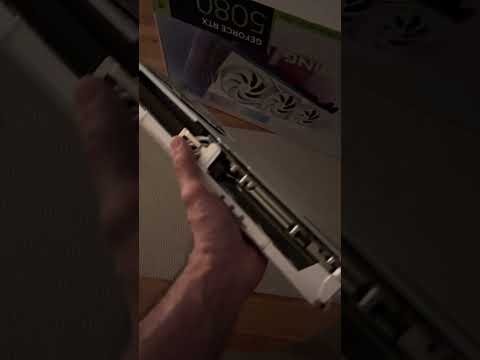
The GPU market has been notoriously volatile due to cryptocurrency mining demand and global semiconductor shortages. Amazon remains one of the most reliable places to find NVIDIA GeForce RTX and AMD Radeon RX cards at or near MSRP. Popular models like the RTX 4070 Ti Super and the RX 7900 XTX regularly appear in stock on the platform. When shopping for a graphics card, pay close attention to AIB partner models from brands like ASUS, MSI, EVGA, Sapphire, and PowerColor. Each partner card offers unique cooling solutions, factory overclocks, and warranty terms that can influence your final decision.
RAM and Memory Kits
Memory is one of the easiest components to shop for on Amazon because specifications are straightforward—capacity, speed, and latency. Brands like Corsair Vengeance, G.Skill Trident Z, Kingston Fury, and Crucial dominate the top-selling lists. Dual-channel kits in 16GB, 32GB, and 64GB configurations are readily available, and Amazon frequently features open-box deals on high-frequency DDR5 modules that would cost significantly more through authorized distributors.
Motherboards and Storage Solutions
Motherboards form the backbone of any build, and Amazon carries everything from budget-friendly B-series boards to premium X670E and Z790 chipset models. Brands like ASUS, MSI, Gigabyte, and ASRock maintain a strong presence. For storage, NVMe SSDs from Samsung, Western Digital, and Sabrent are among the most frequently purchased items, with capacities ranging from 500GB to 4TB. The platform also stocks a healthy selection of SATA SSDs, HDDs, and external drives from Seagate and Toshiba.
How to Choose the Right Computer Parts on Amazon
Shopping for PC components on Amazon requires a deliberate approach to avoid common pitfalls. Start by defining your build purpose. A gaming PC demands a powerful GPU and a high-refresh-rate-friendly processor, while a workstation for video editing prioritizes core count and RAM capacity. Once you know your use case, use Amazon’s filtering tools to narrow results by price, brand, compatibility, and average customer rating.
Always read both positive and critical reviews. Look for recurring themes in negative feedback—thermal throttling issues, BIOS quirks, or compatibility problems with specific CPUs. Verified purchase badges add credibility, and reviews with photos or videos provide invaluable real-world insight. Cross-reference part numbers with manufacturer specification sheets to confirm socket compatibility, power requirements, and dimensional constraints for your case.
Check the seller’s reputation carefully. Listings fulfilled by Amazon generally offer faster shipping and more reliable customer service than third-party marketplace sellers. If a deal seems too good to be true, it probably is, especially on high-demand components like graphics cards where counterfeit or refurbished units masquerading as new remain a risk.
Comparison Table: Popular Computer Parts Categories on Amazon
| Component Category | Top Brands on Amazon | Price Range | Best For |
| CPUs | Intel, AMD | $120 – $700 | Gaming, productivity, content creation |
| Graphics Cards | NVIDIA, AMD, ASUS, MSI | $300 – $2,000+ | Gaming, AI workloads, 4K rendering |
| RAM Kits | Corsair, G.Skill, Kingston, Crucial | $40 – $350 | Multitasking, gaming, professional use |
| Motherboards | ASUS, MSI, Gigabyte, ASRock | $80 – $450 | All build tiers and chipsets |
| NVMe SSDs | Samsung, WD, Sabrent, Crucial | $30 – $250 | Fast boot times, game loading |
| PSUs | Corsair, EVGA, Seasonic, Thermaltake | $60 – $250 | Stable power delivery for all builds |
| CPU Coolers | Noctua, Deepcool, Arctic, be quiet! | $25 – $120 | Thermal management and overclocking |
| Cases | Fractal Design, NZXT, Corsair, Cougar | $50 – $200 | Airflow, aesthetics, cable management |
Expert Tips for Shopping Computer Parts on Amazon
To get the most value out of your Amazon shopping experience, keep these practical recommendations in mind. First, use Amazon’s “Other Sellers on Amazon” feature. Often, the same product is available from multiple sellers at different prices. Compare the total cost including shipping and check whether the seller offers an extended warranty beyond the manufacturer’s standard coverage. Second, consider purchasing during major sales events. Amazon Prime Day in July and the Black Friday / Cyber Monday period in November historically offer the deepest discounts on premium components. Setting up price alerts using Amazon’s “Notify Me” feature or third-party tools like CamelCamelCamel can help you track historical pricing and identify genuine deals versus inflated “original” prices that rarely existed.
For builders who prefer buying in bundles, Amazon often features combo deals that pair a CPU with a compatible motherboard and RAM at a reduced total cost. These bundles are excellent for beginners who want a simplified shopping experience without the hassle of verifying compatibility manually. Advanced builders, on the other hand, may prefer shopping piece by piece to fine-tune every specification for optimal performance and value.
Do not overlook Amazon Warehouse Deals. These are returned or damaged-box items that have been inspected and certified by Amazon. Warehouse deals can offer savings of 20 to 40 percent on high-end components like graphics cards and processors, and they typically carry the same manufacturer warranty as new products. The key is to read the condition description carefully—”Like New” and “Very Good” condition items are generally safe bets, while “Acceptable” condition products may carry cosmetic damage that does not affect performance.
Frequently Asked Questions
Is it safe to buy computer parts on Amazon? Yes, buying computer parts on Amazon is safe when you purchase from fulfilled-by-Amazon listings or authorized brand storefronts. Avoid third-party sellers with low ratings and no verified purchase reviews. Always confirm that the product includes a valid manufacturer warranty, and check the return window before completing your purchase.
Does Amazon sell genuine computer parts or counterfeit products? The vast majority of computer parts sold on Amazon are genuine. However, counterfeit GPUs and CPUs do occasionally surface, particularly from unverified third-party sellers. To minimize risk, buy directly from brand storefronts or sellers with a high feedback score and a substantial number of completed transactions.
Can I build a complete PC using only parts from Amazon? Absolutely. Amazon carries processors, graphics cards, motherboards, RAM, storage drives, power supplies, CPU coolers, cases, and peripherals from virtually every major manufacturer. Building an entire PC from Amazon is entirely feasible and often more convenient than visiting multiple specialty retailers.
What is the best way to check CPU and motherboard compatibility on Amazon? Before purchasing, verify that the CPU socket matches the motherboard socket type—for example, an AM5 motherboard is required for AMD Ryzen 7000 series processors. Check the motherboard manufacturer’s QVL (Qualified Vendor List) for compatible RAM kits, and ensure your power supply has the necessary wattage and connectors for your GPU and CPU combination.
Are Amazon Warehouse Deals worth considering for computer parts? Warehouse deals are often worth it, especially for high-value components like GPUs and CPUs. Inspect the condition rating, read any notes about the item’s history, and confirm the warranty coverage. Items rated “Like New” or “Very Good” from Warehouse Deals frequently deliver the same performance as brand-new units at a significantly lower price.
How do I find the best prices for computer parts on Amazon? Use price tracking tools, enable deal notifications, and monitor Amazon’s lightning deals page. Comparing prices across the Amazon marketplace using the “Other Sellers” tab helps you identify the lowest total cost. Timing your purchases around major sales events like Prime Day and Black Friday typically yields the steepest discounts.
Conclusion
Amazon has firmly established itself as a premier destination for purchasing computer parts, offering unmatched selection, competitive pricing, and a consumer-friendly return policy that few competitors can match. Whether you are assembling your first budget gaming rig or sourcing premium components for a high-end workstation, the platform provides the tools and transparency needed to make confident purchasing decisions. By following the strategies outlined in this guide—verifying seller credibility, cross-referencing compatibility, leveraging price alerts, and taking advantage of warehouse deals—you can maximize value while minimizing risk. The key is to approach every purchase with research and intentionality, and Amazon gives you everything you need to do exactly that.