


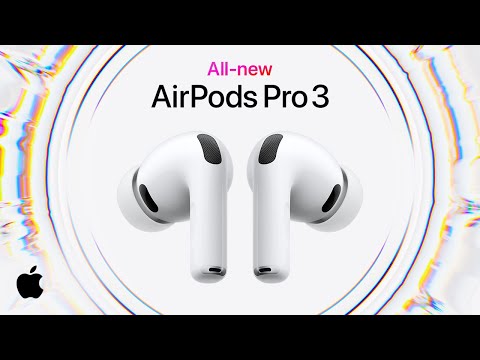
The Apple AirPods Pro wireless earbuds have earned a reputation as one of the most compelling true wireless stereo options on the market. Whether you are a casual listener commuting through noisy city streets or an audiophile who demands precision audio delivery, these earbuds strike a balance between premium sound quality, smart functionality, and sleek industrial design. In this deep dive, we explore everything from the engineering behind the drivers to practical tips that help you squeeze every ounce of performance out of your pair.
What Are Apple AirPods Pro Wireless Earbuds?
The AirPods Pro are Apple’s flagship true wireless earbuds, engineered to deliver a premium audio experience with active noise cancellation, customizable fit options, and deep integration into the Apple ecosystem. Unlike standard AirPods, the Pro variant includes silicone ear tips that create a seal inside the ear canal, which is essential for both passive noise isolation and the active noise cancellation system. Available in the first and second generations, these earbuds have evolved rapidly, incorporating advanced computational audio, the Apple H2 chip (in the second generation), and spatial audio with dynamic head tracking. If you have been on the fence about investing in a pair, understanding what makes them tick can help you make an informed decision.
Key Features That Set AirPods Pro Apart

Active Noise Cancellation Technology
Active noise cancellation, or ANC, is arguably the headline feature of the AirPods Pro wireless earbuds. The system uses outward-facing microphones to detect external sound, then generates inverse sound waves to cancel it out before it reaches your ears. The second-generation model with the H2 chip refines this process further, delivering up to twice the noise cancellation of its predecessor. This means you can focus on your music, podcasts, or calls in environments ranging from crowded subway cars to open-plan offices without needing to crank up the volume to unsafe levels.
Transparency Mode and Adaptive Audio
Transparency mode does the opposite of ANC. It pipes in ambient sounds using the same microphones, allowing you to hear conversations, announcements, or traffic without removing your earbuds. The second-generation AirPods Pro introduce Adaptive Audio, which blends ANC and Transparency mode automatically based on your surroundings. This intelligent switching is a game-changer because it removes the need for manual toggling throughout your day.
Adaptive EQ and Personalized Sound Profiles
Adaptive EQ automatically tunes music to the shape of your ear, adjusting the bass and midrange frequencies in real time. This feature ensures that every track sounds as the artist intended, regardless of how loosely or tightly the ear tips fit. The second-generation model also supports personalized spatial audio, creating a three-dimensional soundstage that follows your head movements, making movies, concerts, and immersive audio content feel remarkably lifelike.
AirPods Pro 1st Generation vs. 2nd Generation Comparison
If you are comparing generations before making a purchase, the table below breaks down the critical differences between the AirPods Pro (1st generation) and the AirPods Pro (2nd generation).
| Feature | AirPods Pro (1st Gen) | AirPods Pro (2nd Gen) |
| Chip | Apple H1 | Apple H2 |
| Noise Cancellation | Excellent | Up to 2x better |
| Battery Life (ANC on) | 4.5 hours | 6 hours |
| Total Listening Time | 24 hours (with case) | 30 hours (with case) |
| Adaptive Audio | Not available | Yes |
| Personalized Spatial Audio | Basic spatial audio | Dynamic head tracking with personalization |
| Driver Size | Custom Apple driver | Custom Apple driver with larger diaphragm |
| Water Resistance | IPX4 | IPX4 |
| USB-C Charging | Lightning | USB-C |
| Price (approximate, USD) | $199-$249 | $249-$299 |
The jump from the H1 to the H2 chip is where the most noticeable improvements live. Users report clearer vocals, richer bass response, and significantly better battery life when ANC is active. If you already own the first generation, the upgrade is meaningful but not revolutionary. For new buyers, the second-generation model delivers the best value and performance today.
How to Get the Best Sound Quality from Your AirPods Pro
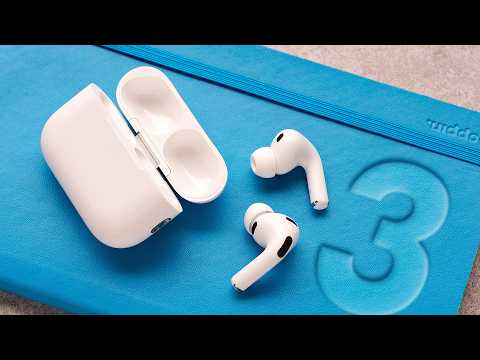
Many users unbox their AirPods Pro wireless earbuds and expect audiophile-grade performance immediately. While these earbuds sound impressive out of the box, a few tweaks can dramatically improve your listening experience. Here is a step-by-step approach:

- Ensure the right ear tip size. The includedXS, S, M, and L silicone tips each create a different seal. Run the Ear Tip Fit Test in the Bluetooth settings on your iPhone or iPad to find the optimal size. A poor seal ruins both noise cancellation and bass response.
- Enable Adaptive EQ. Go to Settings > Bluetooth > tap the “i” icon next to your AirPods Pro, then toggle on Adaptive EQ. This calibrates the output based on the physical fit inside your ear.
- Use lossless audio sources when possible. Apple Music subscribers can stream in ALAC lossless format, which the AirPods Pro 2 can handle with the right configuration. Pair with an iPhone or iPad that supports lossless playback for the full benefit.
- Adjust the noise control settings. Cycling between ANC, Transparency, and Off through Control Center or the AirPods case lets you match the mode to your environment. For gym workouts, Transparency is ideal. For deep focus sessions, ANC is the clear choice.
- Clean the microphones and mesh regularly. Earwax and debris can muffle sound and degrade ANC performance. A soft, dry brush or a lint-free cloth works wonders for maintenance.
Who Should Buy Apple AirPods Pro Wireless Earbuds?
These earbuds are not a one-size-fits-all recommendation. Here is a breakdown of ideal user profiles:
- Apple ecosystem users: If you own an iPhone, iPad, or Mac, the seamless switching, iCloud syncing, and Find My integration make AirPods Pro the most convenient true wireless option available.
- Commuters and frequent travelers: The combination of industry-leading ANC and transparency mode makes these earbuds perfect for noisy transit environments and long flights.
- Call-heavy professionals: The voice beamforming microphones and wind noise reduction ensure clear call quality, even outdoors or in windy conditions.
- Fitness enthusiasts: The IPX4 rating means they handle sweat and light rain, and the secure fit with proper ear tips keeps them in place during workouts.
- Casual listeners on a budget: The first-generation AirPods Pro still deliver outstanding performance and often come at a discounted price point compared to the second generation.
On the flip side, if you are an Android user or prioritize audiophile-grade wired sound above all else, you may find better alternatives in the $200 range. However, for the vast majority of wireless earbud buyers, the AirPods Pro deliver a refined, polished experience that competitors struggle to match comprehensively.
Expert Tips and Practical Recommendations
Beyond the basics, a few advanced tips can elevate your AirPods Pro experience even further. Firmware updates happen automatically when your AirPods are connected to an iPhone, so always keep your device updated to benefit from the latest audio tuning improvements and bug fixes. The “Share Audio” feature allows two pairs of AirPods to connect to a single iPhone, which is fantastic for sharing music on a commute or watching a movie with a partner. Additionally, the “Hey Siri” hands-free activation works directly from the earbuds, so you can change tracks, check the weather, or make calls without touching your phone.
For users concerned about long-term battery health, Apple recommends storing AirPods Pro in the case with the lid closed when not in use. Avoid leaving them in extremely hot or cold environments, as temperature extremes can degrade the lithium-ion batteries over time. If you notice a significant drop in battery performance after a couple of years, Apple offers battery replacement services that are far more affordable than buying an entirely new set.
Frequently Asked Questions
What is the best way to clean Apple AirPods Pro wireless earbuds without damaging them? Use a soft, dry, lint-free cloth and a small soft-bristled brush to gently clean the mesh and ear tips. Avoid using liquids or sharp objects, as moisture can damage the internal electronics and sharp tools can puncture the silicone seals that are essential for noise cancellation performance.
Can you use Apple AirPods Pro with Android smartphones, and if so, what do you lose? Yes, AirPods Pro connect to Android devices via Bluetooth and function as standard wireless earbuds. However, you lose Adaptive EQ, automatic switching between Apple devices, Find My integration, and firmware updates that come through iOS, which can result in slightly suboptimal sound quality and fewer smart features compared to the Apple ecosystem experience.
How does the battery life compare between AirPods Pro and the standard AirPods? The AirPods Pro typically offer slightly shorter listening sessions per charge than standard AirPods when ANC is active, but the trade-off is the superior noise cancellation, better sound isolation, and a more secure fit. The charging case provides additional charges that bring the total listening time well above 24 hours for both models.
Do Apple AirPods Pro work well for phone calls in noisy environments? Yes, the beamforming microphones combined with wind noise reduction algorithms are specifically designed to isolate your voice during calls. Many users report that call clarity on AirPods Pro rivals dedicated Bluetooth headsets, making them reliable for both business calls and casual conversations in moderately noisy settings.
Is spatial audio on AirPods Pro worth the hype? Spatial audio with dynamic head tracking creates an immersive surround-sound effect that is most noticeable when watching movies or TV shows on Apple devices. For music, it adds a sense of width and depth but is not a dramatic improvement for every track. If you consume a lot of cinematic content, it is a genuinely worthwhile feature.
What makes the second-generation AirPods Pro worth upgrading from the first generation? The H2 chip delivers noticeably better noise cancellation, improved battery life, richer audio quality, and new features like Adaptive Audio and Personalized Spatial Audio. The shift to USB-C charging also adds convenience for users transitioning away from Lightning cables. If you prioritize the best possible wireless earbud experience within the Apple ecosystem, the upgrade is justified.
Final Thoughts
Apple AirPods Pro wireless earbuds represent a mature, well-rounded product that continues to improve with each generation. They combine top-tier active noise cancellation, thoughtful smart features, and a refined design that fits comfortably in most ears. Whether you choose the first or second generation, you are investing in earbuds that deliver consistent daily performance across music, calls, podcasts, and immersive media. For anyone already embedded in the Apple ecosystem or looking for a reliable, high-quality wireless audio experience, the AirPods Pro remain a benchmark that competitors continue to chase.