


Shopping for a laptop in 2012 was an entirely different experience compared to even just a couple of years earlier. The industry was in the middle of a dramatic transformation, with ultrabooks reshaping the ultraportable category, solid-state drives dropping in price, and Windows 8 looming on the horizon. Whether you were a college student hunting for an affordable notebook, a creative professional demanding color-accurate displays, or a gamer craving raw graphical horsepower, the 2012 landscape offered something for everyone. This comprehensive 2012 laptop buying guide walks you through everything you needed to know to make a smart, well-informed purchase during one of the most exciting periods in laptop evolution.
Why 2012 Was a Pivotal Year for Laptops
The year 2012 marked a genuine inflection point in portable computing. Intel’s Ivy Bridge processors brought significant improvements in power efficiency and integrated graphics performance. Apple stunned the industry by introducing the MacBook Pro with Retina display, setting a new benchmark for screen resolution. Meanwhile, Windows 8 was just months away from launch, which meant PC manufacturers were scrambling to design touch-enabled convertibles and all-in-one systems. Understanding this context helps explain why certain laptops from 2012 aged so well and why specific specs became the gold standard for the next several years.
For buyers in 2012, the stakes were higher than ever. A laptop purchased early in the year could feel outdated by December if you didn’t account for upcoming hardware trends. That’s why this guide emphasizes not just what was available, but what was coming — because forward-thinking purchases paid off enormously.
Key Specifications to Evaluate When Shopping for a 2012 Laptop
Navigating the specs sheets of 2012 laptop models required a basic understanding of what each component actually meant for real-world usage. Marketing terminology was — and still is — deliberately confusing, so let’s break down the critical specifications that mattered most.
Processors and Performance
The CPU was arguably the single most important specification to scrutinize. In 2012, Intel’s lineup was dominated by the Core i3, Core i5, and Core i7 families, all built on the 22nm Ivy Bridge architecture. Each tier served a distinct purpose:
- Intel Core i3: Dual-core processors ideal for basic tasks like web browsing, document editing, and media playback. Found predominantly in budget laptops.
- Intel Core i5: Available in dual-core and quad-core variants, the i5 struck the sweet spot for most users, offering excellent multitasking and the ability to boost clock speeds dynamically.
- Intel Core i7: The performance king of 2012, featuring quad-core (and sometimes six-core in desktop replacements) designs. Essential for video editing, 3D rendering, and demanding software workflows.
AMD also remained competitive with its A-series APU chips, particularly in budget and mid-range notebooks. The A8 and A10 series offered respectable integrated graphics that appealed to buyers who didn’t want to invest in a discrete GPU.
RAM and Storage Considerations
By 2012 standards, 8GB of RAM had become the recommended baseline for a smooth experience. Many budget laptops still shipped with 4GB, which was functional but increasingly limiting. Power users and professionals should have targeted 16GB, especially if they planned to work with large datasets, virtual machines, or resource-intensive creative applications.
Storage was undergoing a quiet revolution. Traditional 5400RPM and 7200RPM hard disk drives (HDDs) were still the default, but solid-state drives (SSDs) were rapidly gaining traction. A 128GB SSD in 2012 cost roughly $80-$120, making it a worthwhile upgrade for anyone who valued boot speeds and application responsiveness. The difference between booting Windows 7 from a spinning HDD (90+ seconds) versus an SSD (12-15 seconds) was genuinely dramatic and remains one of the most impactful upgrades you can make.
Display Quality and Graphics
Screen resolution was another area where 2012 brought major advancements. Full HD (1920×1080) displays were becoming standard on mid-range and above models, while entry-level laptops often stuck with 1366×768 panels. If color accuracy mattered to you — for photography, graphic design, or video work — looking for IPS panels over TN displays was critical. IPS technology offered wider viewing angles and significantly better color reproduction.
For graphics, the distinction between integrated and discrete GPUs remained important. Intel’s HD Graphics 4000 (Ivy Bridge) handled casual gaming and video playback beautifully. However, serious gamers and 3D professionals needed discrete solutions. The NVIDIA GeForce GTX 600 series (Kepler architecture) and AMD Radeon HD 7000 series represented the cutting edge, with models like the GTX 660M and GTX 680M delivering impressive performance for their era.
Choosing the Right Type of Laptop for Your Needs
Budget Laptops Under $600
Budget-conscious buyers in 2012 had more respectable options than ever before. Brands like Acer, ASUS, Lenovo, and HP offered machines that could handle everyday computing tasks without breaking the bank. Key characteristics of a solid 2012 budget laptop included:
- AMD A-series or Intel Core i3 processor
- 4-8GB of DDR3 RAM
- 320-500GB HDD storage
- 15.6-inch display at 1366×768 resolution
- Approximately 4-6 hours of battery life
The Lenovo IdeaPad series and the Acer Aspire line were particularly strong contenders in this price bracket. Buyers should have prioritized RAM upgrades over all other specifications, as adding memory was often inexpensive and yielded immediate improvements.
Ultrabooks and Premium Ultraportables
Ultrabooks were the headline category of 2012. Intel’s strict Ultrabook specification mandated slim profiles (under 0.8 inches), quick resume from sleep, and a combination of SSD storage with optional HDD caching. The best ultrabooks of 2012 delivered stunning aluminum unibody designs, thunderbolt connectivity, and battery life exceeding 7 hours.
The Apple MacBook Air continued to set the standard for ultraportable design. On the Windows side, the ASUS Zenbook Prime, Dell XPS 13, and Lenovo ThinkPad X1 Carbon were standout choices, each offering unique strengths in build quality, keyboard comfort, and display brilliance.
Gaming and Mobile Workstation Laptops
For users who needed serious horsepower, 2012 offered some exceptional gaming and mobile workstation machines. The MSI GT70, Alienware M14x, and Razer Blade competed for attention with powerful discrete graphics, high-refresh-rate displays, and robust cooling systems. These laptops were thick and heavy compared to modern standards, but they delivered desktop-class performance in a portable form factor.
Operating System Considerations in 2012
Choosing an operating system in 2012 involved weighing several factors. Windows 7 remained the dominant and most stable option, with widespread software and driver compatibility. Windows 8 was available in preview form but wasn’t officially released until late October 2012, and its radical touch-centric interface polarized users immediately. macOS was limited to Apple’s hardware but offered the tightest integration between software and ecosystem. Linux distributions like Ubuntu and Fedora provided free, highly customizable alternatives that were gaining serious momentum among developers and open-source enthusiasts.
My strong recommendation for most 2012 buyers was to stick with Windows 7 unless you were specifically excited about Windows 8’s touch capabilities or committed to the Apple ecosystem. Windows 8’s learning curve was steep, and many enterprises hadn’t yet adapted their software environments.
Comparison Table: Notable Laptops of 2012
| Laptop Model | Category | Processor | RAM | Storage | Approx. Price |
| Apple MacBook Air 13″ (Mid-2012) | Ultrabook | Intel Core i5-3317U | 4-8GB | 128GB SSD | $999-$1199 |
| Lenovo ThinkPad X1 Carbon | Ultrabook | Intel Core i5-3317U | 4-8GB | 128GB SSD | $1299-$1599 |
| ASUS Zenbook Prime UX31A | Ultrabook | Intel Core i5-3317U | 4-8GB | 256GB SSD | $1099-$1299 |
| Dell XPS 15 (L502X) | Multimedia | Intel Core i7-3612QM | 8-16GB | 750GB HDD | $1499-$1899 |
| MSI GT70 | Gaming | Intel Core i7-3610QM | 8-16GB | 750GB HDD | $1399-$1799 |
| Lenovo IdeaPad Z580 | Budget | AMD A10-4600M | 8GB | 500GB HDD | $599-$749 |
Expert Tips for Getting the Best Deal on a 2012 Laptop
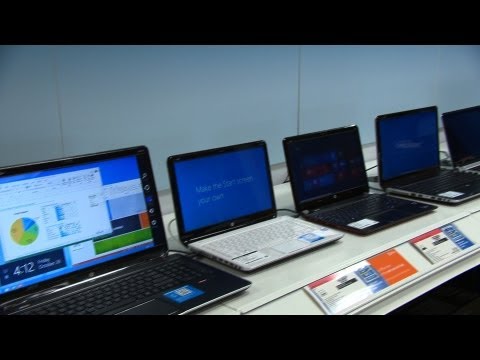
Maximizing value in 2012 required strategic shopping. Here are actionable tips that experienced buyers and tech reviewers relied on:
- Shop end-of-model-cycle clearances. Manufacturers deeply discounted previous-generation models when new CPU or GPU architectures launched. Keeping an eye on Intel’s release calendar helped time purchases perfectly.
- Prioritize upgradeable components. A laptop with accessible RAM slots and a replaceable HDD/SSD bay offered far better long-term value than a sealed, soldered alternative.
- Check benchmarks, not marketing claims. Vendor benchmarks were frequently cherry-picked. Independent reviews from trusted outlets provided the real-world performance data you needed.
- Consider refurbished or open-box options. Premium ultrabooks and gaming laptops held their value remarkably well. Buying a 6-month-old model at 20-30% off was a financially savvy strategy.
- Don’t overlook extended warranties. Laptop hardware failures, particularly involving motherboards and power supplies, were common after the 2-year mark. An extended warranty provided meaningful peace of mind.
Conclusion
The 2012 laptop market was vibrant, competitive, and full of genuinely innovative products. From the elegance of ultrabooks to the raw power of mobile gaming rigs, there was a perfect machine for virtually every type of user. The key to a successful purchase lay in understanding your actual needs, resisting the temptation to overpay for specifications you would never utilize, and timing your buy to capture the best possible value. Whether you chose a budget-friendly Acer Aspire, a refined Apple MacBook Pro with Retina display, or a powerhouse gaming notebook, the investments you made in 2012 were supported by a generation of hardware that delivered exceptional performance for years to come.
Frequently Asked Questions About the 2012 Laptop Buying Guide
What was the best laptop to buy in mid-2012 for a college student?
The Lenovo IdeaPad series and the Apple MacBook Air were top choices for college students in 2012. The MacBook Air offered unmatched portability and battery life, while Lenovo provided excellent keyboard quality and durability at a more accessible price point. Aim for at least 8GB of RAM and an SSD for the best experience.
Was Windows 8 a good reason to wait before buying a laptop in 2012?

It depended on your comfort level with change. Windows 8 introduced a touch-optimized interface that worked well on tablets and convertibles but frustrated traditional laptop users. If you relied heavily on desktop applications and productivity software, Windows 7 remained the safer and more stable choice throughout 2012.
How important was SSD storage compared to HDD in 2012?
SSD storage was transformative in 2012. The performance difference in boot times, application launches, and file transfers was immediately noticeable. While SSDs were still more expensive per gigabyte than HDDs, even a small 128GB SSD combined with a secondary hard drive offered an excellent balance of speed and storage capacity.
What screen resolution should I have targeted for a 2012 laptop?
Full HD (1920×1080) resolution should have been your target for any laptop 14 inches or larger in 2012. The 1366×768 resolution found on many budget models appeared noticeably grainy and cramped, particularly for text-heavy work. If your budget allowed, IPS panel technology was the additional upgrade worth prioritizing for improved color and viewing angles.
Were touchscreen laptops in 2012 worth the extra cost?
Touchscreen laptops in 2012 carried a significant premium and were most useful when paired with Windows 8’s touch-oriented interface. If you weren’t planning to adopt Windows 8, the touchscreen added limited practical value. However, for convertible and detachable designs intended for tablet-style use, the touchscreen was essential rather than optional.
What was the best gaming laptop available in 2012?
The MSI GT70, Alienware M14x, and Razer Blade were among the top-performing gaming laptops in 2012. These machines featured NVIDIA GTX 600-series discrete graphics cards, high-quality displays, and powerful quad-core processors. The Razer Blade stood out for its exceptionally thin design, while the MSI GT70 offered the best raw performance-per-dollar ratio for serious gamers.