


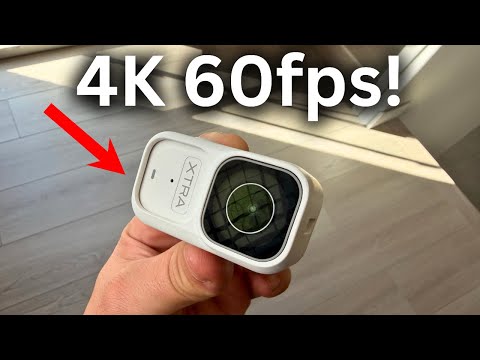
If you are a content creator, filmmaker, or adventure enthusiast looking to capture ultra-smooth, ultra-sharp footage, the 60fps 4K action camera has become the gold standard in portable videography. Gone are the days when high frame rates and resolution were locked behind expensive cinema-grade rigs. Today, compact devices the size of a palm can shoot stunning 3840 x 2160 resolution at 60 frames per second, delivering cinematic motion that makes every wave crash, every drift turn, and every sprint feel alive. In this comprehensive guide, we will explore everything you need to know about selecting, using, and mastering a 60fps 4K action camera, from foundational concepts to advanced shooting techniques that separate amateur clips from professional-grade content.

What Does 60fps 4K Actually Mean and Why It Matters
Before diving into camera recommendations, it helps to understand the technical foundation behind these specifications. 4K refers to a horizontal resolution of approximately 4,000 pixels, with the most common consumer standard being 3840 x 2160 pixels. This delivers roughly eight million pixels per frame, which is four times the detail of standard 1080p Full HD. When you combine that resolution with 60 frames per second, you get footage that is not only incredibly sharp but also extraordinarily smooth in motion.
The difference between 30fps and 60fps is immediately noticeable during fast movement. At 30 frames per second, motion blur and stuttering become apparent during quick panning, sports action, or outdoor adventures. At 60fps, each second of video contains twice as many individual frames, which means smoother transitions, better slow-motion playback capability, and a professional look that viewers subconsciously associate with high-quality production. For action cameras specifically, 60fps at 4K resolution allows you to capture everything from mountain biking trails to water sports with clarity that flatters both fast and slow movements.
Understanding the Relationship Between Frame Rate, Bitrate, and File Size
One of the most overlooked aspects of 60fps 4K recording is its impact on storage and processing. Shooting at 60 frames per second generates significantly more data than 30fps at the same resolution. Most modern action cameras use H.264 or H.265 compression codecs to manage file sizes, but even with compression, a single minute of 60fps 4K footage can consume between 400MB and 1GB of storage depending on the bitrate settings. This is why experts strongly recommend using high-speed microSD cards rated U3 or V30, and carrying at least 128GB of storage for extended shoots.
Top 60fps 4K Action Cameras Compared
The market for 60fps 4K action cameras has matured considerably, with several brands offering devices that deliver excellent image quality, robust stabilization, and rugged construction. Below is a comparison of some of the leading options available to help you make an informed decision.
| Camera Model | Sensor Size | Stabilization | Battery Life (60fps 4K) | Waterproof Depth | Approx. Price |
| GoPro Hero 12 Black | 1/1.9″ CMOS | HyperSmooth 6.0 | ~45 minutes | 10 meters (flat) | $399 |
| DJI Osmo Action 5 Pro | 1/1.3″ CMOS | RockSteady 3.0 | ~50 minutes | 16 meters (flat) | $349 |
| Insta360 Ace Pro | 1/1.3″ CMOS | FlowState | ~40 minutes | 15 meters (flat) | $329 |
| Sony ZV-1F (Action Hybrid) | 1″ Exmor RS | Active Mode | ~35 minutes | Not rated | $399 |
| SJCAM Hero 4K Pro | 1/2.3″ CMOS | EIS | ~55 minutes | 30 meters (housing) | $179 |
As the table illustrates, sensor size plays a critical role in low-light performance. The DJI Osmo Action 5 Pro and Insta360 Ace Pro both feature 1/1.3″ sensors, which gather significantly more light than the smaller 1/2.3″ sensors found in budget options. If you frequently shoot in dim environments like caves, forests, or nighttime events, investing in a larger sensor pays dividends in image quality and noise reduction.
Key Features You Should Prioritize When Buying a 60fps 4K Action Camera
Not all action cameras that claim 60fps 4K support deliver the same experience. Here is a breakdown of the features that truly matter:
- Sensor Size and Low-Light Performance – Larger sensors capture more light, which translates to cleaner images in challenging lighting conditions. The difference between a 1/2.3″ and 1/1.3″ sensor is dramatic when shooting sunsets, night trails, or indoor sports.
- Electronic Image Stabilization (EIS) – Active stabilization is non-negotiable for action cameras. Brands like GoPro and DJI have developed proprietary algorithms that crop the sensor slightly to counteract shakes, but the best implementations now offer horizon-leveling that keeps your horizon perfectly flat even during aggressive movement.
- Dynamic Range – A wider dynamic range preserves detail in both highlights and shadows simultaneously. Cameras with 10-bit color depth or logarithmic recording profiles give you far more flexibility during color grading in post-production.
- Battery and Power Management – 60fps 4K recording drains batteries faster than any other mode. Look for cameras that offer replaceable batteries or USB-C pass-through charging so you can swap or charge on the go.
- Lens and Field of View Options – Wide-angle lenses capture immersive footage but can distort edges. The best 60fps 4K cameras offer multiple field-of-view settings, from super-wide to linear, allowing you to adapt to different shooting scenarios.
- Audio Quality – Many creators forget that audio is half the experience. Look for cameras with built-in wind reduction and external microphone inputs to capture clean sound alongside your crystal-clear video.
Best Use Cases for 60fps 4K Action Cameras

The versatility of a 60fps 4K action camera makes it indispensable across numerous creative and professional applications. Here is where this technology truly shines:
- Outdoor Sports and Adventure Content – From skiing and surfing to rock climbing and off-road motorcycling, 60fps captures every nuance of fast-paced movement with cinematic fluidity.
- Travel Vlogging – The compact form factor and wide field of view make these cameras perfect for hands-free travel documentation, while 4K resolution ensures your destination footage looks breathtaking on large screens.
- Real Estate and Architectural Walkthroughs – Smooth 4K motion transforms property tours into immersive experiences that impress clients and stand out in competitive markets.
- Social Media and Short-Form Content – Platforms like TikTok, YouTube Shorts, and Instagram Reels reward high-quality, visually engaging footage. 60fps 4K content stands out immediately in a crowded feed.
- Fitness and Tutorial Videos – Whether you are demonstrating exercise techniques or crafting tutorials, smooth frame rates ensure that fast movements remain clear and easy to follow.
- Wildlife and Nature Photography – Animals move unpredictably, and 60fps allows you to capture those fleeting moments with enough detail to crop, stabilize, or create slow-motion effects in editing.
Beginner vs. Advanced Shooting Tips
For beginners, the most important step is simply mounting your camera securely and letting it run during action sequences. Start with auto exposure and auto white balance to reduce complexity. As you gain confidence, begin experimenting with manual settings like fixed ISO, custom white balance, and flat color profiles that preserve more dynamic range for editing.
Advanced users should explore techniques like variable frame rate ramping, where you start recording at 60fps and transition to lower frame rates mid-shot to create dramatic slow-motion effects. Additionally, stacking stabilization in post-production using software like DaVinci Resolve or Premiere Pro can further smooth footage captured with even the best in-camera EIS.

Expert Recommendations for Maximizing Your 60fps 4K Footage
seasoned action camera users swear by several practices that consistently improve their final output. First, always shoot in the highest bitrate your camera supports, even if it means using more storage. Higher bitrates preserve fine details like foliage textures, water droplets, and fabric movement that lower bitrates compress away. Second, invest in a quality housing or dive case if you plan to shoot in marine environments, as even “waterproof” cameras are typically rated for shallow depths only.
Another pro tip is to use a frame of reference when editing. When you cut together clips shot at 60fps, your editing timeline will feel naturally smooth, and you can speed up clips by 50% to achieve a 30fps look for narrative pacing, or slow them down to 25% for dramatic slow-motion without any stutter. This flexibility is one of the greatest advantages of shooting at 60fps over lower frame rates.
Conclusion
The 60fps 4K action camera represents the perfect intersection of portability, image quality, and versatility for modern content creators. Whether you are an adrenaline junkie documenting your latest adventure, a vlogger capturing travel experiences, or a professional building cinematic portfolios, the ability to record at ultra-high resolution with buttery-smooth frame rates is an incredibly powerful creative tool. By understanding the key specifications, comparing the top models available, and applying the shooting and editing techniques outlined in this guide, you will be well-equipped to produce footage that rivals what was once possible only with professional cinema equipment. The technology has evolved rapidly and continues to improve, making this an ideal time to invest in a 60fps 4K action camera that will serve your creative vision for years to come.
Frequently Asked Questions
1. Is 60fps 4K Better Than 30fps 4K for Action Cameras?
Absolutely. 60fps at 4K resolution provides twice the temporal detail of 30fps, resulting in significantly smoother motion, reduced motion blur during fast action, and greater flexibility for slow-motion editing. For any content involving movement, 60fps is the preferred choice among professional action camera users.
2. Do I Need a Special Computer to Edit 60fps 4K Video?
Editing 60fps 4K footage is demanding on your hardware. You will benefit from a computer with a dedicated GPU, at least 16GB of RAM, and an SSD for storage. Proxy workflows, where you create lower-resolution editing copies before exporting at full resolution, are highly recommended for smoother editing experiences.
3. Can You Slow Down 60fps 4K Footage and Still Keep It Smooth?
Yes. When you slow down 60fps footage to 50%, you effectively convert it to 30fps playback, which still looks smooth and cinematic. Slowing to 25% gives you a 15fps equivalent, which may show slight choppiness but still looks better than slowing down 30fps footage to the same degree. This is why 60fps is the preferred frame rate for capturing footage intended for slow-motion effects.
4. What Memory Card Do You Need for 60fps 4K Recording?
You need a UHS-I or UHS-II microSD card rated at least U3 and V30 for sustained write speeds. For cameras that shoot at higher bitrates, V60 or V90 rated cards are strongly recommended to prevent dropped frames or recording failures mid-shoot. Brands like SanDisk Extreme Pro and Samsung EVO Plus in the 128GB or 256GB capacities are widely trusted choices.
5. How Do You Get the Best Stabilization Results from a 60fps 4K Action Camera?
Combine in-camera stabilization like GoPro’s HyperSmooth or DJI’s RockSteady with a well-balanced mount and physical stabilization techniques such as using a chest harness or grip handle. In post-production, applying additional stabilization software can further refine results, but the best approach is to start with the most stable footage possible during recording.
6. Does Shooting in 60fps 4K Drain the Battery Faster?
Yes, significantly faster than recording at lower resolutions or frame rates. Most action cameras lose approximately 30% to 50% more battery life when shooting 60fps 4K compared to 1080p at 30fps. Carrying a spare battery or using a portable power bank with USB-C passthrough charging is essential for extended shoots.