


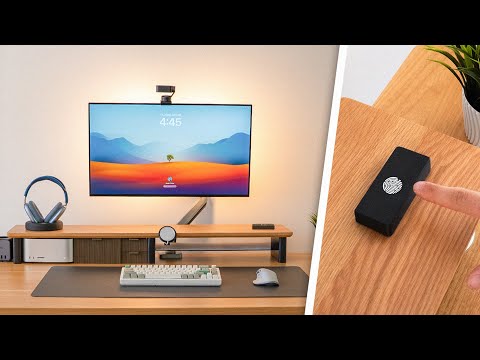
The world of PC building and customization has evolved dramatically over the past decade, and one of the most exciting developments is the rise of 3D printed PC accessories. What was once a niche hobby reserved for hardcore enthusiasts with expensive equipment has now become accessible to virtually anyone with a budget-friendly 3D printer and a creative vision. From cable management clips that finally keep your desk tidy to fully customizable monitor stands and even elaborate fan shrouds that transform the look of your entire build, 3D printing has opened up a universe of possibilities for PC owners who refuse to settle for generic, mass-produced peripherals. Whether you are a seasoned overclocker, a streamer designing a branded setup, or a beginner just assembling your first gaming rig, 3D printed PC accessories offer a level of personalization and functionality that store-bought products simply cannot match. In this comprehensive guide, we will explore everything you need to know about designing, printing, and using custom 3D printed components for your computer setup, covering beginner fundamentals, intermediate projects, and advanced techniques that will take your workstation or gaming battlestation to the next level.
What Are 3D Printed PC Accessories?
3D printed PC accessories refer to any computer-related peripheral, component, or decorative item that has been created using additive manufacturing technology. Instead of purchasing pre-made plastic or metal parts from a manufacturer, users design their own 3D models using CAD software or download existing files from online repositories like Thingiverse, Printables, or MyMiniFactory, then fabricate them layer by layer using a 3D printer. The scope of what qualifies as a 3D printed PC accessory is remarkably broad. It includes small functional items like keycap pullers, cable organizer clips, and USB hubs, as well as larger structural pieces such as monitor arms, custom riser cards, and even full-sized fan shrouds or side panel accents for computer cases. The beauty of this approach lies in the fact that every single item can be tailored to match your exact specifications, color preferences, mounting configurations, and aesthetic style. Unlike standard accessories that come in limited shapes and sizes, 3D printed parts are limited only by your imagination and the capabilities of your printer.
Why 3D Printed PC Accessories Are Taking Over the Gaming Setup Market
The popularity of 3D printed PC accessories is not a passing trend. It is driven by several powerful forces that are reshaping how people think about their computing environments. First, the cost of entry-level 3D printers has dropped significantly. Machines like the Creality Ender 3 and the Bambu Lab A1 Mini now cost under $300, making desktop manufacturing affordable for hobbyists and casual users alike. Second, the online community surrounding 3D printing has grown exponentially, creating vast libraries of free downloadable STL files specifically designed for PC builds and workspaces. Third, modern slicer software has become incredibly sophisticated, allowing even beginners to produce high-quality prints with minimal manual calibration.
Beyond affordability and accessibility, there is a deep cultural element at play. The PC gaming community places enormous value on individuality and setup personalization. Streamers, YouTubers, and esports professionals routinely showcase custom-built environments that reflect their personalities, and 3D printing has become one of the primary tools they use to achieve that distinct look. The ability to create a matching set of accessories, match exact color schemes using filament choices, or produce parts that fit non-standard hardware configurations gives 3D printing an edge that traditional manufacturing cannot replicate.
Best 3D Printed PC Accessories You Can Make or Buy
Cable Management Solutions
Poor cable management is one of the most common frustrations for PC builders, and 3D printed cable clips, routing channels, and zip tie anchors offer an elegant solution. These small parts can be printed in minutes and designed to fit specific case geometries that universal clips might not accommodate. Popular items include under-desk cable trays, magnetic cable routing clips, Velcro strap replacements, and custom agent cable combs that match the aesthetic of your case. Many community members share files optimized for specific case models like the NZXT H7, Fractal Design Meshify, or the Lian Li O11, meaning the parts fit perfectly out of the box.
Custom Monitor Stands and Mounts

A 3D printed monitor stand can replace flimsy stock pads or expensive aftermarket arms. You can design a stand that positions your display at the exact ergonomic height you need, incorporates cable routing channels, or features a built-in wireless charging pad for your phone. For advanced users, there are downloadable designs for VESA mount adapters that allow you to mount non-standard monitors onto arms designed for different VESA patterns, solving compatibility issues that have historically been a pain point.
Fan Housings, Lighting Frames, and Case Accents
One of the most visually impactful categories of 3D printed PC accessories includes decorative and functional case modifications. Custom fan shrouds printed in translucent or semi-transparent PLA and PETG allow you to install LED strips inside fan blades or housings, creating mesmerizing RGB effects that rival or surpass proprietary solutions from brands like Corsair or Razer. Ambient lighting frames that attach to the rear of tempered glass side panels are another hugely popular project, as they create a subtle glow that enhances any room without requiring complex wiring or expensive light bars.
Beginner’s Guide to 3D Printing PC Accessories
If you have never 3D printed before but want to start making PC accessories, the learning curve is gentler than you might expect. Here is a straightforward roadmap to get you started:
- Choose your printer. An FDM printer like the Ender 3 V3 SE or Bambu Lab A1 is ideal for beginners. These machines are affordable, well-documented, and supported by massive communities.
- Pick your first material. PLA is the go-to filament for beginners because it prints reliably at low temperatures and does not require a heated bed for most projects. PETG is a great second material due to its increased durability and heat resistance.
- Download a starter file. Head to Printables.com or Thingiverse and search for beginner-friendly PC accessories like cable clips or fan covers. These files are pre-optimized and come with recommended print settings.
- Slice and print. Import the STL file into a slicer like Cura, PrusaSlicer, or Bambu Studio. Use the recommended profiles, hit slice, and transfer the G-code to your printer. Your first print could be ready in under two hours.
- Post-process and install. Remove supports, sand any rough edges if needed, and install your new accessory. Celebrate the fact that you made something functional with your own hands.
Intermediate and Advanced Projects
Once you have mastered basic prints, the world of intermediate and advanced 3D printed PC accessories opens up dramatically. At the intermediate level, you can tackle projects like fully customizable keyboard cases, artisan keycap designs, macro pad housings, and specialized tool organizers for your desk. These projects often require multiple prints assembled together, precise dimensional tolerances, and careful calibration of print settings like layer height and extrusion flow.
Advanced makers venture into territory that blends 3D printing with electronics, firmware, and software integration. Think custom controllers with integrated OLED screens, fully enclosed mini-ITX case designs with optimized airflow pathways, or motorized cable management systems that retract cords at the press of a button. These projects demand proficiency in parametric CAD modeling using tools like Fusion 360 or SolidWorks, understanding of mechanical engineering principles, and sometimes basic soldering and Arduino programming. The community forums and Discord servers dedicated to these advanced builds are invaluable resources for troubleshooting, sharing design files, and collaborating on ambitious group projects.
Materials You Need for Printing PC Accessories
Selecting the right filament material is crucial because PC accessories need to withstand heat, physical stress, and potential exposure to spills. Here is a quick comparison of the most commonly used materials:
| Material | Best For | Heat Resistance | Durability | Difficulty Level |
| PLA | Decorative accents, cable clips, display pieces | Low (60°C) | Moderate | Beginner |
| PETG | Structural parts, monitor stands, bracket mounts | Medium (80°C) | High | Intermediate |
| ABS | Case panels, fan shrouds exposed to heat | High (100°C) | High | Advanced |
| Nylon | Mechanical parts, hinges, clip mechanisms | Medium-High | Very High | Advanced |
| PLA+ / PETG-CF | Premium finish parts, keycaps, aesthetic components | Medium | Very High | Intermediate |
For most desktop PC accessories that will not be exposed to extreme heat, PLA and PETG will handle the vast majority of jobs beautifully. If you are printing parts that sit near GPU heatsinks or CPU coolers where temperatures can spike, consider upgrading to ABS or even ASA for better thermal stability and UV resistance if your setup receives direct sunlight.
Expert Tips for Superior 3D Printed Results

- Always use a brim or raft on tall or flat-based parts to prevent warping and ensure reliable adhesion to the build plate.
- Design with intentional tolerance in mind. If two printed parts need to snap together, model one slightly larger and the other slightly smaller rather than printing both at exact dimensions.
- Use a filament dryer for hygroscopic materials like Nylon and PETG-CF. Moisture in filament causes bubbles, stringing, and weakened layer bonds that ruin functional parts.
- Print test cubes before committing to a full part. Dial in your extrusion multiplier and dimensional accuracy on a small test object to avoid wasting time and material.
- Sand and paint your parts for a premium look. Many professional-looking 3D printed PC accessories use acetone vapor smoothing for ABS or a coat of primer and spray paint for PLA and PETG parts.
Conclusion
3D printed PC accessories represent one of the most exciting intersections of technology, creativity, and practical functionality available to computer enthusiasts today. Whether you are looking to solve a very specific cable routing problem, build a visually stunning gaming environment that no one else in the world has, or simply enjoy the satisfaction of using tools and parts you fabricated yourself, the world of desktop 3D printing offers endless opportunities. The barrier to entry has never been lower, the community resources are richer than ever, and the quality of consumer printers continues to improve at a remarkable pace. Start small, experiment with materials, learn from the vibrant online communities, and before long you will find yourself designing and producing accessories that would have seemed impossible just a few years ago. Your perfect PC setup is one print away.

Frequently Asked Questions About 3D Printed PC Accessories
What is the best 3D printer for making PC accessories as a beginner?
The Creality Ender 3 V3 SE and the Bambu Lab A1 Mini are widely considered the best entry-level 3D printers for making PC accessories. Both offer excellent print quality out of the box, have large and supportive online communities with thousands of printable PC-specific models, and are priced under $300, making them ideal for anyone starting out in the hobby without a significant investment.
Can I 3D print parts that won’t melt near my GPU or CPU?
Yes, but you need to choose the right material. PLA has a glass transition temperature around 60°C and is not suitable for parts mounted near active heat sources. For accessories positioned close to GPUs, CPUs, or power supply units, you should use PETG (safe up to approximately 80°C), ABS (safe up to about 100°C), or ASA. These materials can handle the thermal environment inside a computer case without deforming or warping.
Where can I find free 3D print files for PC accessories?
The best sources for free 3D print files specifically designed for PC builds and workspace accessories include Printables.com by Prusa, Thingiverse, MyMiniFactory, and Cults3D. Many of these platforms allow you to filter searches by category, printer compatibility, and material type. Dedicated Discord servers and subreddits like r/fosscad and r/3Dprinting also share exclusive community-designed models that may not be available on larger repositories.
How long does it typically take to 3D print a PC accessory?
Print times vary enormously based on the size, complexity, and infill density of the part. Small items like cable clips and keycap pullers can be printed in as little as 15 to 45 minutes. Medium-sized accessories such as fan shrouds or monitor stands typically require two to six hours. Large or highly detailed projects like full keyboard cases or elaborate case panels can take anywhere from eight to over twenty hours depending on the printer’s speed and the part’s geometry.
Is it cheaper to 3D print PC accessories or buy them pre-made?
For most functional accessories like cable management clips, basic stands, and decorative elements, 3D printing is significantly cheaper than purchasing equivalent custom or premium products from retail stores. A spool of PLA filament costs approximately $20 to $25 and can produce dozens of small accessories. However, for highly complex or large-format parts, the electricity cost, filament usage, and time investment may approach or exceed the price of a mass-produced alternative, so it is important to evaluate each project individually.
Do I need a 3D modeling program to design my own PC accessories?
Not necessarily. Many makers successfully print accessories designed by others by downloading STL files from online libraries. However, if you want to create custom parts tailored to your exact specifications, learning a parametric CAD tool like Fusion 360, Tinkercad, or SolidWorks is highly recommended. These programs allow you to model precise dimensions, create parametric designs that can be easily resized, and export files directly to your slicer software for printing. Fusion 360 in particular offers a free personal license that is more than sufficient for all PC accessory design needs.