


When you look at a high-end gaming desk or a meticulously organized workspace, the difference often comes down to the details. Over the last few years, the maker community has revolutionized how we approach computing environments, moving away from generic, mass-produced plastic bins and into the realm of 3D printed PC accessories. Whether you are a hardcore overclocker chasing perfect airflow or a remote worker craving a clutter-free aesthetic, additive manufacturing offers something off-the-shelf products simply cannot: total customization. This deep dive explores the best DIY 3D printed PC gear, the materials that make them durable, and the techniques you need to bring your digital designs into physical reality.
Why 3D Printed PC Accessories Are a Game-Changer for Your Setup
Commercial computer peripherals often force you into a one-size-fits-all mold. You either accept the ugly plastic clutter that comes with your chassis, or you spend hundreds on boutique products. 3D printing breaks this paradigm entirely. When you design your own desktop 3D printed computer addons, you control the exact dimensions, colors, and mounting mechanisms. This is critical for custom water-cooling loops or dense build projects where standard cable management solutions will not fit. The ability to iterate quickly means you can prototype a fan duct in a few hours and print a final version that perfectly matches your build.
Customization Beyond Imagination
The true power of 3D printing lies in the specificity of the design. Need a standoff that is exactly 12 millimeters tall to bridge a gap between your motherboard tray and a custom radiator? You can design it in CAD and print it by tomorrow morning. Want a unique cable comb matching your RGB strips? A quick trip to modeling software, and you have a physical part. This level of personalization transforms a standard desktop into a truly unique workstation, ensuring that every element of your system reflects your personal style and functional requirements.
Top 3D Printed PC Accessories You Need to Print Today

Before you fire up your printer, it helps to know what actually works in real-world PC builds. Below are some of the most popular and practical items that the 3D printing community swears by for keeping setups clean and functional.
- Cable Combs and Routing Clips: Taming spaghetti wires inside a PC case is a nightmare with standard zip ties. A 3D printed cable comb lets you route SATA and power cables with surgical precision, ensuring maximum airflow and a clean aesthetic that photographs beautifully.
- Fan Shrouds and Ducts: For users pushing custom cooling loops or high-RPM fans, 3D printed fan ducts direct airflow exactly where needed, eliminating dead zones inside the chassis and maximizing cooling performance.
- Standoffs and Motherboard Risers: Sometimes case manufacturers cheap out on brass standoffs. A high-temperature nylon or ABS printed standoff provides a secure, vibration-free mount for your motherboard, preventing short circuits from loose hardware.
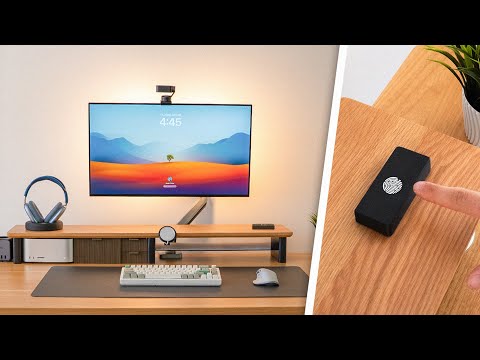
- Monitor Risers and Desk Organizers: Ergonomic 3D printed desk risers elevate your screen to eye level, reducing neck strain while matching your room’s decor perfectly. They can also integrate cable channels for a completely hidden wiring setup.
Material Matters: Choosing the Right Filament for PC Parts
Not all 3D printing materials are created equal when it comes to computing hardware. Heat generation inside a PC case can warp cheaper plastics, so choosing the right filament is crucial for longevity.
| Filament Type | Heat Resistance | Best Use Case for PC Accessories | Difficulty Level |
| PLA | Low (60°C) | Decorative bezels, non-heat cable combs, desk organizers | Easy |
| PETG | Medium (80°C) | Fan shrouds, case mounts, parts near exhaust fans | Moderate |
| ABS | High (100°C) | CPU cooler brackets, PSU shrouds, high-heat environments | Hard |
For beginners, PLA is an excellent starting point for non-critical decorative items. However, if you are building a high-performance machine that generates significant heat inside the chassis, PETG or ABS is mandatory to ensure your 3D printed PC accessories do not warp over time.
Advanced Techniques for High-End PC Addons
Choosing the Right Filament for Thermal Management
As your builds become more advanced, simply printing parts will not be enough. You must consider how these parts interact with the thermal dynamics of your system. For instance, a fan shroud printed in PLA might deform after an hour of heavy gaming if positioned near the CPU cooler exhaust. Advanced makers often turn to Polycarbonate or Carbon-fiber infused nylon for structural PC components requiring both rigidity and thermal resistance. Furthermore, utilizing infill patterns like gyroid or cubic can significantly increase the structural integrity of a 3D printed standoff or bracket without wasting excessive filament.

Another advanced technique is annealing for ABS and ASA prints. By carefully heating the printed part in an oven, you relieve internal stresses and increase the heat deflection temperature, making the part far more durable inside a hot PC case. This step is often overlooked by hobbyists but is a game-changer for anyone printing functional computer addons that must withstand sustained heat.
Step-by-Step: Designing and Printing Your Own PC Gear
Wondering how to bring your ideas from concept to physical reality? The process is more accessible than you might think, even if you have no prior engineering experience.
- Identify the Problem: Start by noticing a flaw in your current setup. Is there a gap where a cable rattles? Does your desk lack a dedicated spot for your headset? Defining the problem gives you the specifications for your 3D printed computer addons.
- 3D Modeling: Use free software like Fusion 360 or TinkerCAD to draft your idea. Start simple and focus on exact measurements, ensuring your part will fit within your PC case without obstructing critical airflow paths. Always measure twice and print once to avoid wasting filament.
- Slicing: Import your model into a slicer like Cura or PrusaSlicer. Configure your layer height (0.2mm is standard), wall count (4-5 walls for structural parts), and infill (15-20% for decorative, 50%+ for load-bearing).
- Printing: Ensure your print bed is level and your filament is dry. Moisture in the filament causes pop-ups and weak spots, which is disastrous for parts like cable combs that need to be smooth.
- Post-Processing: Sand any rough edges, apply primer if you plan to paint the part, and carefully install it into your PC. A little heat from a heat gun can help bend PETG parts into custom curves if needed.
Expert Tips for Flawless 3D Printed Computer Parts
- Design for Printability: Always consider how the part will sit on the printer bed. Overhangs longer than 45 degrees will require supports, leaving ugly marks on your accessories. Design with chamfers and gradual angles whenever possible.
- Threaded Inserts: If you are building a part that requires screws, do not print threads directly into the plastic. Instead, use heat-set threaded inserts. They provide a much more robust thread that will not strip when mounting your motherboard or drive bays.
- Ventilation is Key: Printing ABS and ASA emits fumes that are harmful over time. Ensure your printing space has adequate ventilation or use an enclosure with a filtered exhaust.
- Test Fits Before Final Prints: Print a small scale model of your part first to verify dimensions. This saves hours of failed printing and wasted filament.
Conclusion: Elevate Your Desktop with Custom Fabrication
The transition from a generic pre-built PC to a personalized, highly functional machine is incredibly rewarding, and 3D printing is the ultimate enabler of this transformation. By incorporating 3D printed PC accessories into your next build, you are not just saving money compared to retail boutique parts; you are participating in a creative process that puts you in full control of your digital environment. From simple cable combs to complex cooling ducts, the possibilities are limited only by your imagination and hardware capabilities. Grab your calipers, fire up your slicer, and start building the perfect PC setup today. The maker community is incredibly supportive, so share your designs online and inspire others to upgrade their setups with custom 3D printed parts.
Frequently Asked Questions
1. Is it safe to use 3D printed parts inside a running PC case? Yes, as long as you use high-temperature filaments like PETG or ABS and ensure there are no moving parts rubbing against the plastic. Avoid placing printed parts directly on top of exposed heatsinks running at very high temperatures to prevent melting or warping.
2. What is the best 3D printer for making PC accessories? A budget-friendly option like the Creality Ender 3 is perfect for beginners printing cable combs and standoffs. For advanced users, a printer with a heated chamber like the Prusa MK3S+ or Bambu Lab P1S allows you to print with ABS and other high-heat filaments without warping.
3. How long does it take to 3D print a typical PC accessory? Depending on the size and infill, a standard cable comb might take 2 to 4 hours. More complex items like custom fan shrouds or monitor risers can take anywhere from 8 to 24 hours to complete, depending on the print speed and detail required.
4. Can I paint my 3D printed computer addons to match my build? Absolutely. Priming your prints with a sandable primer is the best way to achieve a smooth, paintable surface. This is especially useful if you want your 3D printed PC gear to blend seamlessly with your motherboard or case color scheme.
5. Do 3D printed cable combs affect SATA or power cable performance? No, they are purely aesthetic and organizational tools. They do not interfere with data transfer or power delivery, but they do make it much easier to route cables cleanly for optimal airflow inside the case.
6. What is the strongest filament for load-bearing PC brackets? For load-bearing components like heavy monitor risers or GPU support brackets, PETG and carbon-fiber reinforced nylon offer the best balance of strength and printability. Avoid standard PLA for any part that will hold significant weight or undergo frequent handling.