


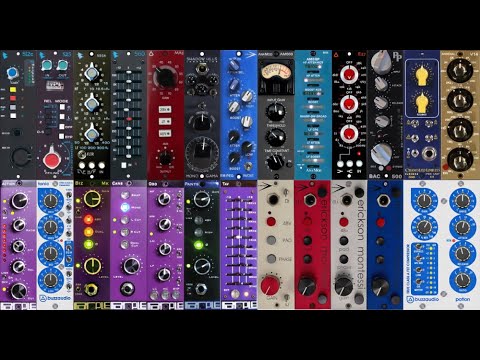
If you are building a home studio, a live sound reinforcement rig, or a professional broadcasting setup, an audio gear rack is arguably the most important piece of infrastructure you will ever purchase. It is not just a metal box that holds your equipment—it is the backbone of your entire signal chain, affecting thermal management, cable organization, operational efficiency, and even the longevity of your expensive studio hardware. Whether you are a beginner trying to tame a growing collection of audio processors or a seasoned sound engineer looking to streamline a touring rack, this guide covers everything you need to know about selecting, configuring, and optimizing your audio gear rack.

What Is an Audio Gear Rack and Why Does It Matter?
An audio gear rack, also commonly referred to as a 19-inch equipment rack or a studio rack cabinet, is a standardized frame designed to house audio processing units, amplifiers, mixers, and other professional audio hardware. The industry standard width is 19 inches, and equipment is measured in “rack units” or “U,” where one unit equals 1.75 inches of vertical space. This universal sizing means that gear from different manufacturers can coexist inside the same enclosure, which is a massive advantage for anyone building a flexible, scalable system.
What makes an audio gear rack so important goes beyond simple storage. Proper rack mounting ensures stable ventilation, reduces cable strain, minimizes vibration transfer, and gives you quick access to every piece of gear during a live session or a studio mixdown. A well-designed rack setup can dramatically reduce setup and teardown time on gigs, protect sensitive equipment from physical damage, and keep your signal path clean and organized.
Types of Audio Equipment Racks
Not all racks are created equal. Understanding the different categories of audio gear racks will help you make an informed decision based on your specific needs and budget.
Open-Frame Racks
Open-frame racks are exactly what they sound like—metal frames with no enclosing cabinet or doors. They are lightweight, affordable, and provide maximum airflow, making them ideal for home studio rack setups where ventilation is a priority and the equipment will not be subjected to travel or heavy handling. These racks typically come in depths ranging from 10 inches to 36 inches, and deeper models are essential if you are housing gear with wide power supplies or patch bays that extend behind the front panel.
Enclosed Rack Cabinets
Enclosed cabinets add structural protection, dust shielding, and a more professional aesthetic. They usually feature a rear door, fan ventilation, and sometimes carpeted interior panels to dampen vibrations. Powered audio racks that include built-in cooling fans or even integrated power distribution units are particularly popular for live sound reinforcement applications where reliability and thermal management are non-negotiable.
Portable and Road Cases
For touring musicians and live sound engineers, a portable rack road case is essential. These units combine the functionality of a standard 19-inch rack with heavy-duty transport features like reinforced corners, butterfly latches, foam-lined interiors, and sometimes built-in wheels. Look for road cases that offer deep rack mounting options, because many modern digital consoles and DSP units are physically larger than older analog gear.
How to Choose the Right Audio Gear Rack
Selecting the right rack involves more than picking the cheapest option online. You need to think critically about size, material, cooling, and future expandability.
- Determine your total rack unit count. Measure the combined height of every piece of gear you plan to install, adding at least two to three extra U spaces for airflow gaps and future additions. A common mistake is buying a rack that is too shallow vertically, which leads to overcrowding and overheating.
- Choose the right depth. Standard depths range from 10 inches to 36 inches. Digital audio interfaces, network switches, and modern DSP processors often require deeper cabinets. Always measure the deepest piece of equipment you own, including any rear connectors or power cables that extend behind the unit.
- Consider the material. Steel racks offer superior durability and vibration damping, making them the preferred choice for professional environments. Aluminum racks are lighter and more portable but may not provide the same level of structural rigidity for heavy gear like tube amplifiers or powered subwoofer processors.
- Check for integrated cable management. Look for racks that include rear cable channels, vertical cable management bars, and perforated side panels. These features dramatically simplify studio cable management and save hours of tedious organizing.
- Evaluate cooling requirements. If you are running gear that generates significant heat—such as Class-A headphone amplifiers, vintage tube compressors, or dense digital mixer platforms—prioritize racks with active fan cooling or ventilated side panels.
Best Practices for Rack Setup and Cable Management
A beautiful rack with messy cables underneath is a liability waiting to happen. Here are expert-level strategies to keep your installation clean and functional.
Signal Flow Organization
Arrange your gear from left to right in the order of your signal path. If your typical workflow runs from a microphone preamp through an EQ, compressor, de-esser, and finally a limiter before hitting your interface, stack those units left to right. This logical arrangement makes troubleshooting faster and reduces the chance of accidentally unplugging the wrong cable during a session.
Power Distribution Strategy
Never daisy-chain power strips inside a rack. Use a dedicated rack-mount power conditioner or a fused power distribution unit to supply clean, isolated AC power to every piece of equipment. Group your gear by power consumption—keep high-draw devices like amplifiers on separate circuits or power conditioner channels from sensitive preamps and converters to minimize electrical noise.
Cable Labeling and Routing
Use color-coded XLR and TRS cables and label each end with a numbered tag that corresponds to its input or output channel. Route audio cables through the rear cable channels and power cables through separate routed channels on the opposite side. This physical separation reduces electromagnetic interference and makes future troubleshooting significantly easier.
Common Mistakes to Avoid When Building an Audio Rack
Even experienced engineers make avoidable errors when configuring their gear racks. Here are the most common pitfalls:
- Underestimating rack depth and forcing gear to hang off the back edge
- Overpacking units with zero spacing between them, which causes heat buildup
- Using non-rack-mountable hardware without proper mounting rails and brackets
- Ignoring ground loop issues by mixing ground-lifted and grounded devices on the same power strip
- Forgetting to account for the weight of the fully loaded rack when purchasing mobile casters or transport frames
Advanced Tips for Pro-Level Rack Installations
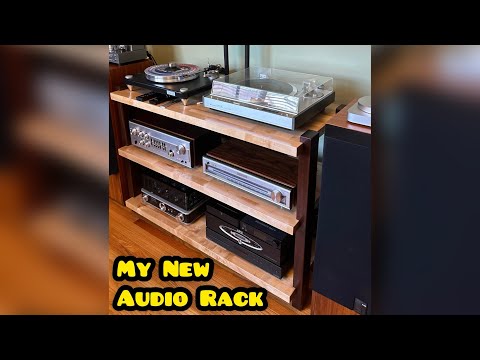
Once you have your basic rack configured, these advanced strategies will elevate your setup to professional standards.
Install rack rails with tool-less tightening mechanisms. Manufacturers like Middle Atlantic and Raxessence offer quick-release rails that allow you to slide gear in and out without needing a screwdriver. This sounds like a small detail, but when you are swapping gear between sessions or touring, those saved seconds add up to meaningful efficiency.
Use an isolation platform for vibration-sensitive gear. Placing a rack-mount isolation platform inside the cabinet beneath your studio monitors, phono preamps, or high-end DACs can significantly reduce low-frequency vibration artifacts. Dense rubber or sorbothane pads are inexpensive and highly effective.
Integrate a digital audio network hub. Modern audio setups increasingly rely on protocols like Dante, AES67, and AVB. Mounting a managed network switch directly in the rack—ideally in its own dedicated 1U or 2U space—creates a centralized network topology that simplifies configuration and fault isolation.
Rack Size Comparison at a Glance
| Rack Size | Height (U) | Best For | Typical Use Case |
| 6U Compact Rack | 6 | Minimal home studio setups | Audio interface, compressor, preamp |
| 12U Mid-Size Rack | 12 | Growing project studios | Mixer, EQ, dynamics, monitor controller |
| 16U Standard Rack | 16 | Professional studio builds | Full signal chain plus DSP processing |
| 24U+ Full-Size Rack | 24+ | Live sound and broadcast | Console, amps, processors, networking |
| 42U Full-Cabinet | 42 | Master control rooms | Complete signal routing and processing |
FAQ: Common Questions About Audio Gear Racks
What depth audio gear rack do I need for a standard studio interface?
Most standard studio audio interfaces, such as those from Focusrite or Universal Audio, require a minimum rack depth of 10 inches. However, if you are using gear with rear-facing connectors that extend well behind the front panel—such as certain analog summing mixers or high-end DACs—consider a 16-inch to 24-inch deep rack to accommodate the additional clearance comfortably.
Can I mix equipment from different brands in the same audio gear rack?
Absolutely. Because the 19-inch rack standard is universal across the professional audio industry, you can mix a Focusrite preamp, a dbx compressor, a Shure wireless receiver, and a Sabine digital EQ in the same cabinet. Just ensure you use the correct mounting rails, brackets, and panel screws for each unit’s specific mounting pattern, as some manufacturers use different screw hole configurations.
How do I prevent my audio gear rack from overheating during long sessions?
Maintain at least one to two rack units of empty vertical space between high-heat-generating devices and heat-sensitive equipment. Install a variable-speed rack fan at the top or bottom of the enclosure, and if your rack is enclosed with a door, make sure it has adequate ventilation louvers or replace solid doors with mesh-panel alternatives to promote continuous airflow across all front and rear panels.

Is a powered audio rack with built-in fans worth the extra cost?
For setups with more than five units or any equipment that runs hot—such as tube amplifiers or dense 32-channel digital mixers—a powered rack with active cooling is highly recommended. The added cost of a few hundred dollars can prevent thermal throttling, premature component failure, and frustrating session interruptions caused by overheating gear.
What is the easiest way to add more gear to an already full audio rack?
If you have exhausted your vertical space, consider installing a top-mount extension kit that adds three to six additional rack units to the existing cabinet. Alternatively, you can use a vertical cable manager tray to consolidate existing cables and reclaim a few rack units that were previously lost to bulky cable bundles. For a more permanent solution, upgrading to a taller cabinet entirely—such as moving from a 12U to a 16U or 24U model—gives you room to grow without rebuilding your entire setup.
Final Thoughts
An audio gear rack is far more than a passive storage solution—it is the operational heart of any serious audio production or performance environment. From choosing the right depth and material to implementing disciplined cable management and intelligent power distribution, every decision you make about your rack has a direct impact on the quality, reliability, and longevity of your entire audio chain. Whether you are outfitting a first home studio or refining a professional touring rig, investing time and care into your rack configuration pays dividends every single time you power on your gear. Start with a solid foundation, plan for future growth, and never underestimate the value of a clean, well-organized setup.