


If you are a content creator, outdoor enthusiast, or professional videographer looking for that buttery-smooth ultra-high-definition footage, a 4K 60fps action camera is no longer a luxury—it is a necessity. The combination of 3840 by 2160 pixel resolution and 60 frames per second delivers cinematic clarity and fluid motion that standard 30fps or 1080p cameras simply cannot match. Whether you are capturing mountain biking trails, underwater dives, or fast-paced sports montages, shooting in 4K at 60 frames per second gives you the freedom to slow down clips, crop heavily, and deliver stunning visuals that immediately grab your audience’s attention.
What Is a 4K 60fps Action Camera?
A 4K 60fps action camera is a rugged, compact video device capable of recording ultra-high-definition footage at 3840 by 2160 resolution with 60 frames per second. Unlike standard action cameras that may max out at 4K 30fps or 1080p 60fps, these models deliver twice the frame rate at four times the pixel density. The result is footage that is incredibly sharp, motion-stutter-free, and ideal for post-production editing. When you shoot at 60 frames per second, every frame captures finer motion detail, making fast movements like turning heads, spinning wheels, and splashing water look smooth and lifelike rather than choppy or blurry.
Why 4K 60fps Matters for Action Videography
The shift from 30fps to 60fps represents a massive leap in perceived video quality. For action sports, travel vlogging, and adventure filmmaking, frame rate is just as critical as resolution. Here is why choosing an action camera capable of 4K at 60 frames per second gives you a serious edge.
Slow Motion and Smooth Playback
Shooting at 60fps allows you to slow your footage down to 50 percent speed while still maintaining smooth, tear-free playback. When you drop a 4K 60fps clip into a timeline at 30fps or 24fps, you instantly get half-speed slow motion without any stuttering. This is invaluable for capturing split-second moments like a skateboard kickflip, a wave crashing against rocks, or a goalkeeper making a diving save. The higher the frame rate, the more frames you have to pull from, giving editors granular control over motion interpolation and speed ramping.
Digital Zoom and Cropping Flexibility
4K resolution provides four times the pixel count of 1080p HD. When you record at 4K and later crop in your editing software, you can reframe shots, apply digital pans, or zoom in without losing meaningful resolution. Combined with 60 frames per second, you get the best of both worlds: ample pixels for re-composition and silky smooth motion even after significant cropping. This is particularly useful for action cameras with wide-angle lenses, where you might want to isolate a specific athlete or detail from a broad landscape shot.
Top Features to Look For in a 4K 60fps Action Camera
Not all action cameras that advertise 4K 60fps are created equal. Several underlying specifications determine whether the camera will actually deliver on its promise. Here are the critical features you should evaluate before making a purchase.
Sensor Size and Image Processing
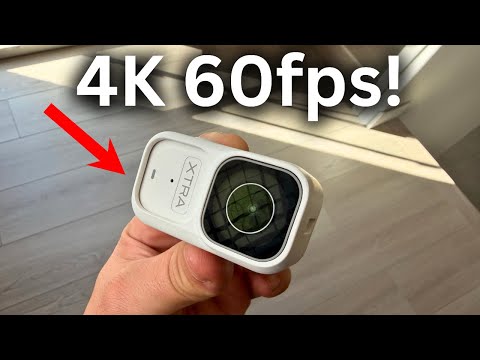
A larger sensor captures more light, reduces noise, and improves dynamic range, especially in challenging lighting conditions like skiing down a shadowed slope or diving into deep water. The image processor matters equally because 4K 60fps generates a massive amount of data per second. A powerful processor ensures color accuracy, reduces rolling shutter, and handles heat dissipation effectively. Look for cameras with at least a 1/2.3-inch sensor and a dedicated image signal processor for reliable performance.

Stabilization Technology
When shooting at high frame rates on moving platforms, electronic image stabilization (EIS) and hypersmooth algorithms become essential. Without effective stabilization, even a slight vibration at 60fps looks amplified and nauseating. The best 4K 60fps action cameras combine hardware-level stabilization with software-driven algorithms to produce footage that looks like it was shot on a gimbal. Some advanced models now offer horizon leveling, auto-tracking stabilization, and even AI-powered object recognition to keep your subject locked in frame.
Bitrate and Compression
Higher bitrate means better image quality and less compression artifacting, especially in scenes with fine detail like grass, water droplets, or confetti. A 4K 60fps action camera should ideally record at a minimum bitrate of 60 to 100 Mbps. Lower bitrate cameras may technically reach 4K 60fps but will show noticeable macro-blocking and color banding in high-contrast scenes. Always check the maximum bitrate specification before buying.
Best 4K 60fps Action Cameras Compared

The market currently offers several strong contenders for the best 4K 60fps action camera title. Below is a comparison of popular models to help you narrow down your options based on budget and intended use.
| Camera Model | Resolution & Frame Rate | Stabilization | Battery Life | Price Range |
| GoPro Hero 12 Black | 4K 60fps | HyperSmooth 6.0 | ~2 hours | $399 – $449 |
| Insta360 Ace Pro | 4K 60fps | FlowState | ~1.5 hours | $349 – $399 |
| DJI Action 5 Pro | 4K 60fps | Rocksteady 3.0 | ~1.5 hours | $329 – $379 |
| SJCAM SJ8 Pro 2 | 4K 60fps | EIS + Hypersmooth | ~1 hour | $199 – $249 |
| AKASO Brave 7 LE | 4K 60fps | EIS | ~1 hour | $129 – $179 |
Budget-Friendly Options
If you are just getting started with action videography or need a durable backup camera, models from brands like AKASO, SJCAM, and Akaso offer surprisingly capable 4K 60fps recording at a fraction of the price of premium flagships. While these cameras may lack advanced stabilization and professional-grade codecs, they still deliver crisp footage suitable for social media content, GoPro-style vlogs, and home adventure recordings. The SJCAM SJ8 Pro 2 is particularly noteworthy for its dual battery system and compact form factor, making it a solid choice for travelers who want high frame rate quality without a hefty price tag.
Premium Flagship Picks
For serious content creators and professionals, the GoPro Hero 12 Black, DJI Action 5 Pro, and Insta360 Ace Pro represent the current pinnacle of action camera engineering. The GoPro Hero 12 Black remains the industry benchmark with its HyperSmooth 6.0 stabilization and excellent low-light performance. The DJI Action 5 Pro stands out with its larger 1/1.3-inch sensor, which dramatically improves image quality in dim environments. Meanwhile, the Insta360 Ace Pro offers unique flip-screen flexibility and seamless 360-degree editing capabilities. Each of these cameras handles the intense data throughput required for 4K 60fps recording with minimal thermal throttling and exceptional color science.
How to Get the Best Footage from a 4K 60fps Action Camera
Owning a capable 4K 60fps camera is only half the battle. Knowing how to configure settings and handle the hardware during shooting sessions makes the difference between amateur-looking clips and professional-grade footage.
Settings and Configurations
- Shutter speed: Set your shutter speed to double your frame rate. For 4K 60fps, use a 1/120s shutter speed to maintain natural motion blur and avoid the staccato look that comes from overly fast shutter speeds.
- White balance: Lock your white balance manually to prevent color shifts between scenes, especially when transitioning between indoor and outdoor environments.
- Bitrate: Always select the highest available bitrate or bitrate mode when shooting 4K 60fps. The difference in detail retention is immediately visible in post-production.
- Protune or flat profiles: Enable flat color profiles or log profiles if your camera supports them. These preserve maximum dynamic range for color grading in editing software.
- Format: Shoot in MP4 with H.265 encoding to balance file size and quality, or use H.264 if you plan to edit on older hardware that lacks H.265 decoding support.
Mounting and Lighting Tips
Proper mounting reduces vibration and keeps your 4K 60fps footage clean and stable. Use silicone adhesive mounts for smooth surfaces and locking buckle mounts for high-impact activities like mountain biking or motocross. When it comes to lighting, action cameras with small sensors struggle in low-light conditions. Whenever possible, shoot during golden hour or overcast days when the dynamic range is more forgiving. If shooting underwater or in dim environments, consider adding a portable LED light to your rig to boost exposure without introducing harsh shadows.
Common Mistakes When Shooting at 4K 60fps
Many users assume that selecting 4K 60fps is a set-and-forget decision, but several common pitfalls can undermine your footage quality. Overheating is the number one enemy—continuous 4K 60fps recording generates significant thermal load, and many action cameras will automatically shut down after 20 to 40 minutes of sustained use. Always carry spare batteries and use external power banks for long shoots. Another mistake is neglecting storage speed; 4K 60fps files are massive and require fast microSD cards with U3 or V30 speed ratings to avoid dropped frames. Finally, do not forget that 4K 60fps consumes storage at roughly twice the rate of 4K 30fps, so invest in high-capacity, high-speed memory cards to avoid running out of space mid-adventure.
Final Thoughts
The 4K 60fps action camera has fundamentally changed what is possible for creators who demand cinematic quality in a rugged, portable package. From budget-friendly models to premium flagships, there is now an action camera that can deliver ultra-smooth, ultra-sharp footage in virtually any environment. By understanding the key features, avoiding common mistakes, and optimizing your shooting settings, you will unlock the full creative potential of your gear and produce content that stands out in an increasingly competitive landscape. Whether you are filming your next ski trip, documenting an extreme sports event, or building a YouTube channel, investing in a capable 4K 60fps action camera is one of the best decisions you can make for your videography journey.
Frequently Asked Questions
What does 4K 60fps mean for action cameras?
4K 60fps means the camera records video at 3840 by 2160 pixel resolution with 60 frames captured every second. This results in ultra-sharp, fluid footage that is ideal for slow-motion playback, digital cropping, and professional-grade action content creation.
Is 4K 60fps better than 4K 30fps for action videos?
Yes, 4K 60fps is significantly better for action videos because the doubled frame rate captures twice as much motion information per second. This produces smoother footage during fast movement, enables clean half-speed slow motion in editing, and reduces motion blur compared to 30fps recordings.
What is the best storage card for 4K 60fps action cameras?
You need a microSD card with at least U3 and V30 speed ratings to reliably handle the sustained write speeds required for 4K 60fps footage. Cards from SanDisk Extreme Pro, Samsung EVO Plus, and Lexar 1066x are proven performers that minimize the risk of dropped frames or corrupted files.
Do 4K 60fps action cameras overheat easily?
Many action cameras do experience thermal throttling during extended 4K 60fps recording sessions because processing high-resolution, high-frame-rate footage generates substantial heat. Premium models from GoPro and DJI have improved thermal management significantly, but it is still wise to use external cooling solutions or take breaks between recording sessions for optimal performance.
Can you edit 4K 60fps footage on a standard laptop?
Editing 4K 60fps footage demands a relatively powerful system with a dedicated GPU, at least 16GB of RAM, and a fast SSD storage drive. If your laptop struggles, you can proxy edit by creating lower-resolution previews during the editing process and then relink to the original 4K 60fps files for final export.
How much storage do you need for 4K 60fps video?
A one-minute clip of 4K 60fps footage typically consumes approximately 400 to 600 megabytes of storage depending on the bitrate and codec used. For extended shooting sessions, plan for at least a 128GB microSD card, and ideally a 256GB card to ensure you have enough headroom for hours of continuous 4K 60fps recording.