


Shopping for a gaming laptop in 2019 presented one of the most exciting and competitive markets in the history of portable computing. Nvidia’s RTX 20-series GPUs, Intel’s 9th-generation Core processors, and a wave of 144Hz display panels transformed what a gamer could expect from a laptop. Whether you were a casual player looking for an affordable entry point or a hard-core enthusiast chasing maximum frame rates, 2019 delivered options across every price bracket. This guide breaks down everything you need to know about choosing the best 2019 gaming laptop, from GPU tiers and processor benchmarks to display technologies and thermal design.
Why 2019 Was a Turning Point for Gaming Laptops

The 2019 laptop gaming landscape shifted dramatically due to three major hardware advancements. First, Nvidia introduced its RTX 20-series graphics cards with real-time ray tracing and deep learning super sampling (DLSS). These features brought cinematic-quality lighting and reflections to gaming laptops for the first time in a portable form factor. Second, Intel’s 9th-generation Core i5, i7, and i9 processors offered significantly higher clock speeds and better multi-threaded performance than their predecessors. Third, 144Hz and even 300Hz IPS panels became widely available, drastically reducing motion blur and input lag during fast-paced gameplay.
Understanding these shifts matters because they directly influence how you should evaluate a laptop. A 2019 machine with an RTX 2060 and a 144Hz screen was a genuine generational leap over 2018 models with GTX 1060 graphics. When comparing options, always weigh GPU generation, panel refresh rate, and processor architecture together rather than focusing on any single spec.

Key Specifications to Prioritize
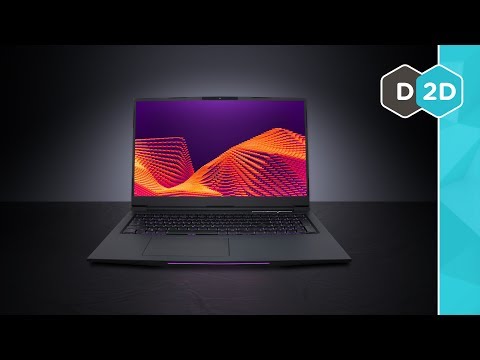
GPU and Processor
The graphics card is the single most important component in a gaming laptop. During 2019, Nvidia’s RTX 20-series dominated the market with three main tiers:
- RTX 2060 — The sweet spot for 1080p gaming at high settings, delivering 60+ frames per second in most AAA titles.
- RTX 2070 — Built for high-refresh 1080p and capable 1440p performance with ray tracing enabled.
- RTX 2080 and 2080 Max-Q — Flagship GPUs designed for 1440p and even 4K-capable setups, though thermal throttling could affect real-world performance.
On the CPU side, Intel’s 9th-generation lineup reigned supreme. The Core i7-9750H and i9-9980HK were the most common choices, offering six and eight cores respectively. AMD’s Ryzen 3000 series had just launched in mid-2019, and some laptops like the ASUS ROG Zephyron S GX701 featured the Ryzen 7 3750H, providing a compelling alternative for buyers who preferred strong multi-threaded performance.
RAM and Storage
For gaming in 2019, 16GB of DDR4 RAM became the standard minimum. Many entry-level laptops still shipped with 8GB, which was increasingly insufficient for modern titles like Call of Duty: Modern Warfare and Red Dead Redemption 2. Always verify that the laptop allowed RAM upgrades, as soldered memory severely limits future-proofing.
Storage is another critical consideration. NVMe M.2 SSDs were standard in 2019 gaming laptops, offering load times dramatically faster than traditional HDDs. A 512GB SSD was typical, while 1TB configurations appeared in premium models. Some laptops included both a fast SSD for the operating system and a secondary 2.5-inch HDD for mass storage.
Display and Refresh Rate
Panel quality makes or breaks the gaming experience. In 2019, the ideal configuration was a 15.6-inch or 17.3-inch IPS display with a 144Hz refresh rate and a 1080p resolution. The shift from 60Hz to 144Hz panels was transformative — movements appeared smoother, targeting felt more precise, and competitive titles like Apex Legends and Fortnite benefited enormously.
Some high-end models pushed to 300Hz refresh rates, though diminishing returns set in for most players. Color accuracy, measured in sRGB coverage, also mattered for players who valued visual fidelity. A display covering 90% or more of the sRGB gamut provided vibrant, true-to-life colors without oversaturation.
Best Gaming Laptops of 2019
Budget-Friendly Options
Not everyone had a massive budget, and 2019 still offered capable machines under $800:
- Acer Nitro 5 — Equipped with a GTX 1660 Ti, Intel i5-9300H, and 8GB DDR4 RAM, this was one of the best value gaming laptops on the market. Its 15.6-inch IPS 144Hz display was a standout at the price point.
- Lenovo Legion Y540 — Featuring an RTX 2060, i7-9750H, and 144Hz panel, the Legion Y540 offered excellent build quality and thermal performance for under $1,000.
Mid-Range Champions
For players willing to invest between $1,000 and $1,500, the choices were outstanding:
- MSI GS65 Stealth — A slim, lightweight design with an RTX 2070, i7-9750H, and a stunning 144Hz 1080p display. Its thin bezels and aluminum chassis set a new standard for portability.
- HP Omen 15 — Balanced performance with an RTX 2060, excellent cooling, and a clean aesthetic. The Omen 15 was praised for its keyboard quality and reliable thermals.
Premium Powerhouses
Enthusiast buyers who demanded uncompromising performance had access to machines like:
- ASUS ROG Zephyrus S GX701 — Powered by an RTX 2080 Max-Q and Intel i7-9750H, this ultra-thin laptop delivered desktop-class performance in a remarkably portable chassis.
- Razer Blade Pro — A luxury gaming machine with a 4K display option, RTX 2080, and an aluminum unibody design that blended workstation aesthetics with raw gaming power.
2019 Gaming Laptop Comparison Table
| Model | GPU | CPU | Display | Approx. Price |
| Acer Nitro 5 | GTX 1660 Ti | i5-9300H | 15.6″ 144Hz IPS | $700-$800 |
| Lenovo Legion Y540 | RTX 2060 | i7-9750H | 15.6″ 144Hz IPS | $900-$1,000 |
| MSI GS65 Stealth | RTX 2070 | i7-9750H | 15.6″ 144Hz IPS | $1,200-$1,400 |
| HP Omen 15 | RTX 2060 | i7-9750H | 15.6″ 144Hz IPS | $1,000-$1,200 |
| ASUS ROG Zephyrus S GX701 | RTX 2080 Max-Q | i7-9750H | 17.3″ 144Hz IPS | $1,800-$2,200 |
| Razer Blade Pro | RTX 2080 | i7-9750H | 17.3″ 4K IPS | $2,500+ |
Expert Tips for Buying a 2019 Gaming Laptop
Buying a gaming laptop requires more than just reading spec sheets. Here are practical recommendations from experienced buyers and reviewers:
- Benchmark real performance, not just specs. A laptop with an RTX 2070 Max-Q may perform closer to a desktop RTX 2060 than a full-fat RTX 2070 due to lower power limits. Check independent reviews and benchmark databases like Notebookspec or UserBenchmark for actual gaming performance data.
- Prioritize thermal design over raw clock speeds. A powerful processor in a thin chassis will throttle under sustained loads, dropping performance by 20-30%. Look for laptops with dual-fan cooling systems, vapor chambers, and generous heat pipe coverage.
- Consider upgradability. Can you access the RAM slots and M.2 SSD slots after purchase? Laptops with soldered RAM and a single SSD slot may become outdated faster.
- Test the keyboard and trackpad. You will spend hours gaming on the keyboard. Key travel depth, actuation force, and backlighting quality all contribute to daily comfort.
- Check port availability. If you use external monitors, a dedicated GPU output like HDMI 2.0 or DisplayPort is essential. USB-C Thunderbolt 3 support is a bonus for docking stations and external GPUs.
Common Mistakes to Avoid When Shopping
Even experienced buyers sometimes fall into traps when purchasing a gaming laptop during this era. One of the biggest mistakes was assuming that a higher TGP (Total Graphics Power) rating always meant better performance — drivers, laptop cooling, and the specific game engine all played significant roles. Another frequent error was overlooking battery life. Gaming laptops with RTX 20-series cards typically lasted only 1.5 to 3 hours under gaming loads, and even less during intensive tasks like rendering or streaming.
Buyers also tended to ignore the importance of the laptop’s base model RAM configuration. Some manufacturers shipped systems with a single 8GB stick running in single-channel mode, which could reduce GPU performance by up to 15% in certain titles. Always verify whether the laptop came with dual-channel memory out of the box or required an upgrade to unlock the full bandwidth potential.
Conclusion
The 2019 gaming laptop market represented a genuine golden age for portable gaming. With RTX 20-series graphics, 9th-generation Intel processors, high-refresh-rate IPS displays, and increasingly slim chassis designs, buyers had never had so many excellent choices. Whether your budget leaned toward a budget-friendly Acer Nitro 5 or stretched to a premium Razer Blade Pro, there was a machine capable of delivering an outstanding gaming experience. The key was understanding which specifications mattered most for your preferred gaming style — competitive players should prioritize refresh rate and CPU clock speed, while story-driven gamers might emphasize GPU power and display quality for visual fidelity.
Frequently Asked Questions
What was the best 2019 gaming laptop for 1080p high-refresh gaming?
The MSI GS65 Stealth with an RTX 2070 and a 144Hz IPS display remains a top recommendation for 1080p high-refresh gaming in 2019. It balanced portability, thermal performance, and graphical power better than most competitors at a competitive price point. The Lenovo Legion Y540 was also an excellent alternative for buyers who preferred a more mainstream brand reputation and a slightly lower price.
Is an RTX 2060 laptop GPU enough to play modern AAA titles?
Yes, an RTX 2060 mobile GPU can run modern AAA titles at 1080p resolution on high to ultra settings while maintaining playable frame rates of 60 fps or higher in most games. For demanding titles like Cyberpunk 2077 or Control with ray tracing enabled, you may need to dial settings down to medium or high to sustain smooth performance. The RTX 2060 also supports DLSS, which uses AI upscaling to boost frame rates with minimal visual quality loss.
How much RAM is ideal for a 2019 gaming laptop?
16GB of DDR4 RAM is the ideal configuration for a 2019 gaming laptop. Eight gigabytes is workable for less demanding titles, but modern open-world games, multitasking with streaming software, and future game releases benefit significantly from the additional memory. Dual-channel configurations running at 2666MHz or higher provide the best real-world performance gains.
Can you upgrade the GPU in a 2019 gaming laptop?
No, laptop GPUs are soldered onto the motherboard and cannot be upgraded after purchase. This is one of the primary reasons why selecting the right GPU tier during the initial purchase is so important. Some laptops allow you to swap the NVMe SSD and upgrade the RAM, which provides partial future-proofing, but the graphics hardware remains fixed for the entire lifespan of the device.
What refresh rate monitor is best for competitive esports gaming on a laptop?
A 144Hz or 240Hz IPS panel is the best choice for competitive esports gaming on a laptop. High refresh rates reduce motion blur and provide smoother visual feedback, which translates directly into improved reaction times during fast-paced gameplay. For titles like Counter-Strike: Global Offensive, Valorant, and Overwatch, a 144Hz display at 1080p resolution strikes the ideal balance between visual clarity and hardware requirements.