


If you just unboxed your new AEIFOND smartwatch and feel overwhelmed by the menus, notifications, and settings, you are not alone. This AEIFOND smartwatch user guide is designed to walk you through everything — from the very first setup to advanced features that most guides never cover. Whether you own the AEIFOND A1 Pro, the AEIFOND Fit series, or any other model in their lineup, this article will serve as your definitive reference for getting the most out of your device. Let us dive deep into every section you need to master your smartwatch experience.
What Is the AEIFOND Smartwatch?
The AEIFOND smartwatch is a budget-friendly yet feature-rich wearable designed for fitness enthusiasts, busy professionals, and anyone who wants seamless health tracking on their wrist. Unlike premium brands like Apple or Samsung, AEIFOND delivers core smartwatch functionality — heart rate monitoring, sleep tracking, SpO2 measurement, step counting, and multi-sport modes — at a fraction of the price. The devices typically feature vibrant AMOLED or IPS touchscreens, Bluetooth connectivity, water resistance, and companion apps for iOS and Android. Understanding what your watch can do is the first step toward using it effectively.
Key Features at a Glance
- Continuous heart rate and blood oxygen monitoring
- Sleep stage tracking including deep, light, and REM cycles
- Over 20 sport and exercise modes
- IP67 or IP68 water resistance rating
- Customizable watch faces and notification alerts
- Sedentary reminders, alarm clocks, and stopwatch functions
- Battery life ranging from 5 to 10 days depending on usage
Getting Started: Initial Setup and Pairing
Before you can explore any feature, you need to properly set up your AEIFOND smartwatch. The setup process is straightforward but has a few nuances that can save you headaches later. Follow these steps carefully to ensure a smooth first-time experience.
Step-by-Step Pairing Process
- Charge your AEIFOND smartwatch fully using the included magnetic cable. A full charge typically takes about 1.5 to 2 hours.
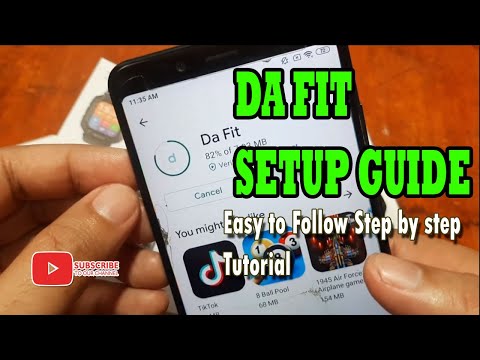
- Download the companion app — usually called “FitPro,” “Da Fit,” or the specific AEIFOND app — from the Google Play Store or Apple App Store.
- Enable Bluetooth on your smartphone and keep it within 10 meters of the watch during pairing.
- Power on the smartwatch by pressing and holding the side button for 3 seconds.
- Select your watch model from the app’s device list and confirm the pairing request on both devices.
- Grant the necessary permissions for notifications, health data access, and location services when prompted.
- Wait for the sync to complete, and you are ready to explore your new device.
Expert Tip: During the first pairing, make sure your phone’s operating system is updated. Some AEIFOND models experience connection issues on outdated Android or iOS versions, and a simple OS update resolves most Bluetooth pairing failures instantly.
The user interface on AEIFOND smartwatches is designed to be intuitive, but the layout can feel cluttered if you do not know where everything is. The home screen typically displays the time, date, battery level, and current health metrics such as heart rate. Swiping up, down, left, and right reveals different widgets and menu pages.
- Swipe up: Access quick settings like flashlight, music control, and find phone
- Swipe down: View notifications and quick toggles
- Swipe left or right: Navigate between watch faces and widgets
- Tap: Select menu items and open apps
- Long press: Access settings or switch watch faces
- Press the side button: Return to the home screen or open the shortcut menu
Health and Fitness Tracking Features
This is where the AEIFOND smartwatch truly shines. The device is packed with sensors that continuously monitor your physiological data throughout the day. Understanding how to use these features properly will dramatically improve the accuracy and usefulness of the health insights you receive.
Heart Rate Monitoring
The optical heart rate sensor on the AEIFOND smartwatch measures your pulse using green LED lights that detect blood flow changes in your wrist. For the most accurate readings, ensure the watch band sits snugly about one finger width above your wrist bone. You can enable continuous heart rate monitoring in the settings menu, or set it to measure at intervals to conserve battery life.
Blood Oxygen (SpO2) Measurement
SpO2 tracking on AEIFOND models uses red and infrared sensors to estimate the oxygen saturation in your blood. This feature is particularly useful during high-altitude activities, intense workouts, or even while sleeping. The watch can perform spot checks or run continuous SpO2 monitoring overnight, generating a graph in the companion app that shows oxygen level fluctuations throughout the night.
Sleep Tracking
One of the most popular features among AEIFOND users is the automatic sleep tracking. The watch detects when you fall asleep and wakes up, then categorizes your sleep into stages — light sleep, deep sleep, and REM sleep. The companion app provides a sleep score each morning along with suggestions for improvement. For the best results, wear the watch consistently every night and enable the “Do Not Disturb” mode during your usual sleep hours.
Sports and Exercise Modes
The AEIFOND smartwatch supports multiple sport modes that cater to different workout styles. From walking and running to swimming, cycling, and yoga, each mode tracks specific metrics relevant to that activity.
How to Use Exercise Modes Effectively
- Swipe to the sports app on the watch home screen
- Select your desired activity mode from the list
- Review the pre-workout settings such as target heart rate zone
- Tap “Start” to begin tracking
- During your workout, you can pause, resume, or check real-time stats
- After finishing, the watch saves the session data and syncs it to the app

Pro Tip: If you frequently switch between activities, consider creating a custom shortcut on your watch face for your most-used sport mode. This saves you from navigating through menus every time you start a workout.
Notifications and Smart Features
Once paired with your smartphone, the AEIFOND smartwatch can display incoming calls, text messages, social media alerts, and app notifications directly on your wrist. You can also control music playback, trigger the phone camera remotely, and use the built-in sedentary reminder to stay active throughout the day.
Managing Notifications
To customize which apps send notifications to your watch, open the companion app, navigate to the device settings, and select “Notification Management.” From there, you can toggle notifications on or off for individual apps. This is especially useful if you find the watch buzzing too frequently during meetings or workouts.
Remote Camera and Music Control
When your phone is within Bluetooth range, you can use the AEIFOND smartwatch as a remote shutter for your phone’s camera. Simply open the camera remote function on the watch and tap the screen to take a photo. Similarly, the music control feature lets you play, pause, skip tracks, and adjust volume from your wrist while your phone stays in your pocket during a run.
Battery Life and Charging Best Practices
Most AEIFOND smartwatch models offer a battery life of 5 to 10 days on a single charge under normal usage. However, enabling features like continuous heart rate monitoring, always-on display, and frequent GPS tracking will significantly reduce this duration.
| Usage Mode | Estimated Battery Life |
|---|---|
| Basic mode (time, steps, minimal notifications) | 10-12 days |
| Normal usage (heart rate on, notifications on) | 5-7 days |
| Heavy usage (continuous HR, SpO2, GPS, music) | 2-3 days |
| Always-on display enabled | 3-4 days |
Battery Maintenance Tips: Avoid letting the battery drain completely to zero before recharging, as this can degrade the lithium-ion cells over time. Store the watch in a cool, dry place when not in use for extended periods, and charge it to around 50 percent if you plan to keep it unused for weeks.
Troubleshooting Common Issues
Even with a well-designed device, users occasionally encounter problems. Here are the most common issues reported by AEIFOND smartwatch owners and how to resolve them quickly.
Watch Will Not Turn On
If the watch does not respond when you press the side button, connect it to the charger and wait at least 30 minutes before trying again. A deeply depleted battery may take several minutes to show any sign of life.
Bluetooth Connection Keeps Dropping
Restart both your smartphone and the watch. Make sure Bluetooth is enabled and that no other devices are interfering with the connection. If the problem persists, unpair the device in the app, reset the watch to factory settings, and re-pair from scratch.
Inaccurate Heart Rate Readings
Ensure the band is tight enough and positioned correctly above the wrist bone. Tanning lotions, sweat, or cold temperatures can also interfere with the optical sensor. Cleaning the sensor area with a soft, damp cloth often restores accuracy.
Sync Failures with the Companion App
Check that you have the latest version of the app installed. Clear the app cache in your phone settings, restart the app, and attempt a manual sync. Keeping the app updated ensures compatibility with the latest firmware on your AEIFOND smartwatch.
Customizing Your Watch Face and Settings
Personalization is one of the most enjoyable aspects of owning a smartwatch. The AEIFOND companion app offers a library of watch faces ranging from minimal digital designs to analog-style displays with complication widgets showing weather, steps, and heart rate. You can also create custom watch faces by selecting your preferred layout, background image, and data fields.
Recommended Settings for Optimal Performance
- Enable “Raise to Wake” for an always-ready display without draining excessive battery
- Set notification priority to only essential apps for less distraction
- Adjust the screen brightness to auto or a comfortable mid-level setting
- Enable automatic firmware updates to access the latest features and bug fixes
- Set a comfortable strap tightness for 24/7 wear, especially during sleep tracking
Conclusion
The AEIFOND smartwatch delivers remarkable value for anyone who wants comprehensive health and fitness tracking without spending a premium price. By following this AEIFOND smartwatch user guide, you should now feel confident setting up your device, navigating its features, troubleshooting common issues, and customizing it to match your lifestyle. The key to getting the most out of any smartwatch is consistent use — wear it daily, review your health data regularly, and keep the firmware and app updated. Your AEIFOND smartwatch is a powerful wellness companion, and with the knowledge from this guide, you are now equipped to use it to its full potential.
Frequently Asked Questions
1. How do I update the firmware on my AEIFOND smartwatch?
To update the firmware, open the companion app on your smartphone, navigate to the device settings, and look for the “Firmware Update” option. Ensure your watch has at least 50 percent battery and a stable Bluetooth connection before starting the update. The process typically takes 5 to 10 minutes, and the watch may restart during or after the installation.
2. Can I use the AEIFOND smartwatch without a smartphone?
While the smartwatch can track steps, heart rate, and time independently, it requires a smartphone connection to sync data, receive notifications, and download new watch faces. For standalone use, the watch retains basic functionality but will not sync your historical health data until you reconnect it to the companion app.
3. Is the AEIFOND smartwatch waterproof enough for swimming?
Most AEIFOND models carry an IP67 or IP68 water resistance rating, which means they can withstand submersion in up to 1.5 meters of freshwater for 30 minutes. However, it is recommended to avoid exposing the watch to hot water, salt water, or chlorinated pools for extended periods, as these can degrade the seals over time.
4. How accurate is the sleep tracking on the AEIFOND smartwatch?
The sleep tracking accuracy is surprisingly reliable for a budget smartwatch, using a combination of accelerometer data and heart rate variability to detect sleep stages. However, it may occasionally misclassify quiet rest as light sleep, or fail to detect short naps. For the most accurate sleep data, wear the watch snugly and consistently every night.
5. Why does my AEIFOND smartwatch show an incorrect heart rate during exercise?
During high-intensity exercises, wrist movement and sweat can interfere with the optical sensor, leading to inaccurate readings. To improve accuracy, tighten the band slightly during workouts, position the watch one finger above the wrist bone, and ensure the sensor area is clean and dry. For the most precise exercise heart rate, consider pairing a chest strap heart rate monitor if your AEIFOND model supports Bluetooth external devices.
6. How do I factory reset my AEIFOND smartwatch?
To perform a factory reset, go to the Settings menu on the watch, scroll to “System” or “Reset,” and select “Factory Reset.” This will erase all your personal data, settings, and paired Bluetooth connections, returning the watch to its original out-of-the-box state. You will need to re-pair it with the companion app after the reset is complete.